Day One has set the standard for digital journaling for over a decade, and it runs almost everywhere. Switch to Ember when the people in your entries matter as much as the days. In Ember, everyone you write about gets their own page, every moment you have written about them gathers there, and nothing in the app ever writes for you.
Is Ember a good Day One alternative?
The short version: yes, if you journal on Apple devices and the people in your entries matter to you. Ember is free with no limit on photos or voice memos, keeps a page for everyone you mention, and has no AI on any plan. Stay with Day One if you need Android, Windows, the web or Apple Watch, or want its AI features.
Day One may suit you better if
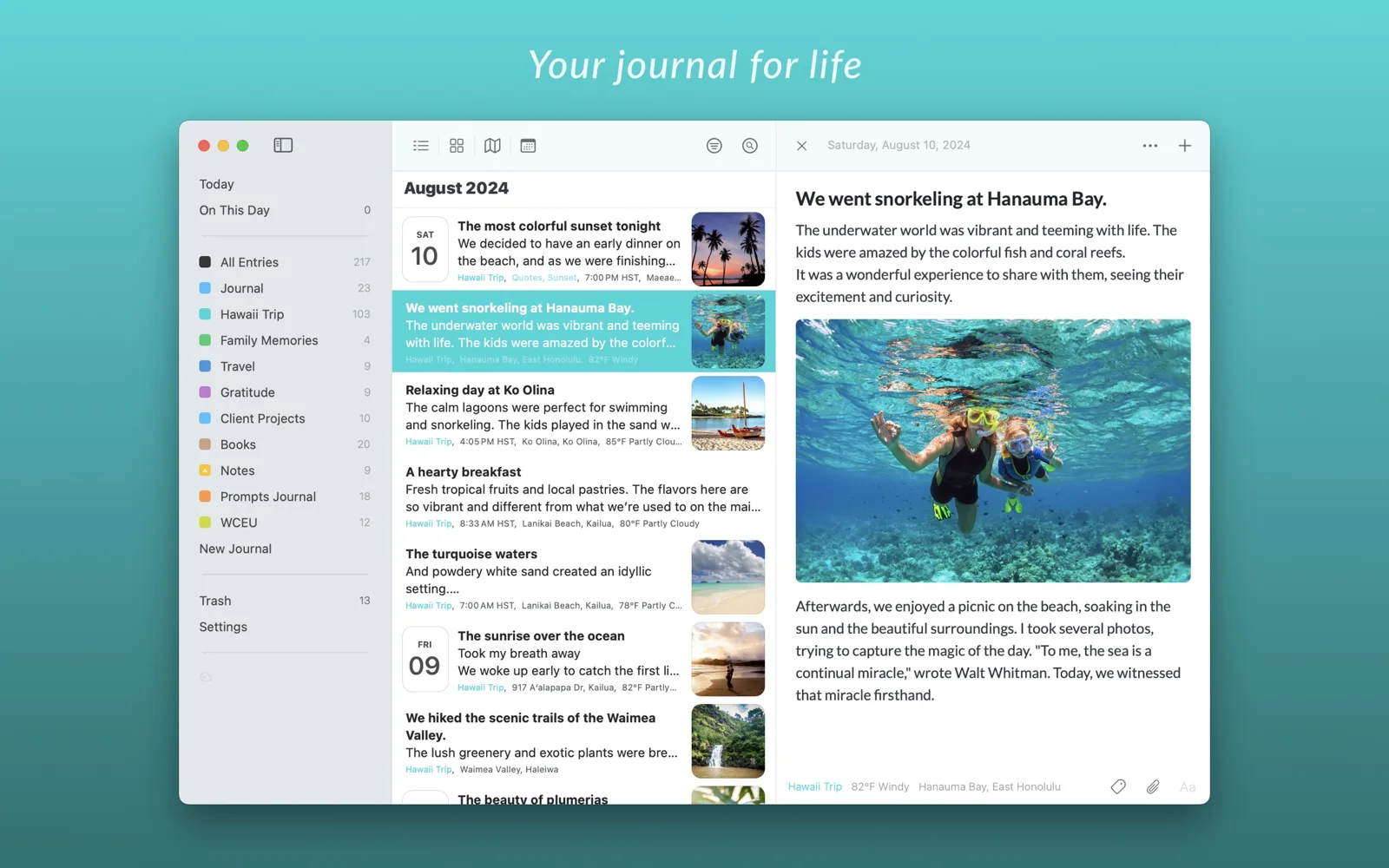
You want your journal on Android, Windows or the web as well as your Apple devices, or on your Apple Watch. You like daily prompts, AI features such as Daily Chat and entry summaries, integrations like Strava and IFTTT, or printed books of your journal.
Ember may suit you better if
You want to type @ and a name and have that entry kept on the person's page for good. You want worlds and stories, photos, videos and voice memos with no limit on the free plan, no AI anywhere, no account, and a backup you can read without the app.
The two apps, side by side
| Day One | Ember | |
|---|---|---|
| Price | Free with Basic. Silver is $49.99 a year, and Gold, with AI, is $74.99 a year. | Free, with no limits on what you write. Ember Plus adds sync and every theme, from $4.99 a month in the US. |
| Free plan | One device, one photo per entry | Everything except sync and the full theme catalogue, with no limit on photos, videos or voice memos |
| Devices | iPhone, iPad, Mac, Apple Watch, Android, Windows and the web | iPhone, iPad and Mac |
| Sync | With Silver, through a Day One account, end-to-end encrypted | With Ember Plus, through your own iCloud. No account to create. |
| People | Names are part of the text | Type @ to mention someone. Each person has a page with every entry, story and conversation you have kept about them. |
| Organising | Journals and tags | Worlds, stories and tags |
| Starting an entry | Daily prompts and templates | A blank page with one gentle question, or one of your own templates. No AI. |
| AI | Daily Chat, summaries, prompts and image generation, in Gold | None, on any plan |
| Looking back | On This Day | Memories in the Feed: what you wrote on this day, and the anniversary of the day you met someone |
| Staying in touch | Not a feature | A quiet nudge when someone you are tending starts to fade |
| Lock | Yes | Face ID, Touch ID or your passcode |
| Export | JSON, PDF, and plain text or Markdown, depending on the device | A full backup as one .zip of plain JSON with your original photos and media, readable without Ember. PDFs of entries and stories, and your whole journal as a printed book. All free. |
| Import from other apps | Apple Journal, Journey, Diaro, CSV and plain text, depending on the device | Day One, Apple Journal, Diarium and Contacts |
Day One details checked on October 28, 2026 against Day One's pricing page and help guides. Plans change, so check there for the latest.
No AI. Nothing can read my private entries or generate text from them, which is how a journal app should work.
hsingasong, App Store review
What you get in Ember
Everyone gets a page
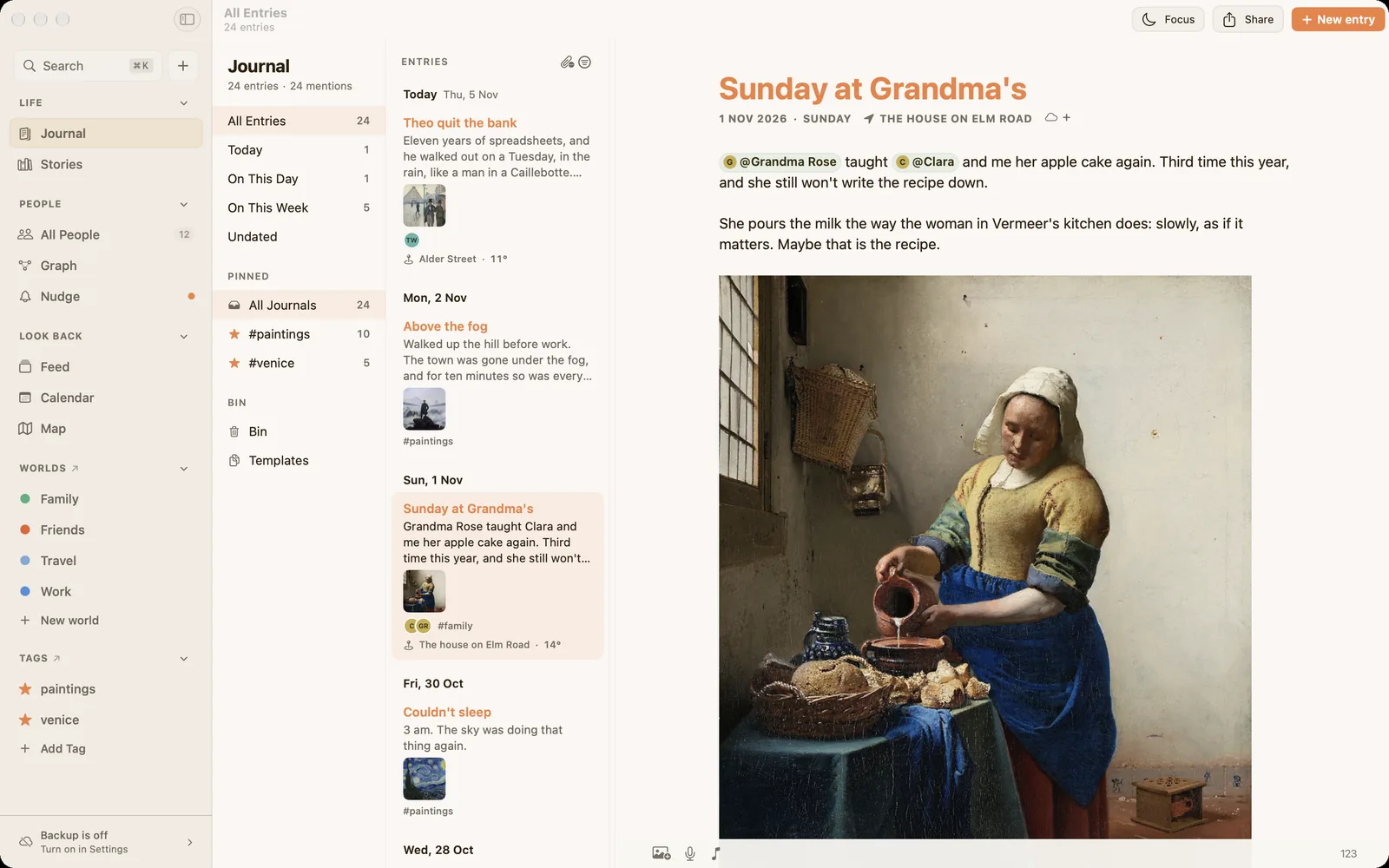
Type @ and a name while you write. The entry lands on that person's page, beside every other moment you have written about them, in order. Open someone years later and it is all there. How a person's page works
Worlds and stories
Group people into worlds like Work, Family or University, and gather entries that span years into stories. Ember never connects anything on its own. You decide what belongs together. Worlds and stories
Your files, always
Back up everything to one .zip of plain JSON with your original photos. You can also save entries and stories as PDFs and print your whole journal as a book. It is free, with or without Plus, and readable without Ember. Import and export
Bring your Day One journals with you
Your Day One journal stays where it is. Ember imports a copy, on your device, and nothing is uploaded.
- Export from Day One. On a Mac, choose File, then Export, then JSON, and include your photos. On iPhone, open Day One's Settings, then Import/Export, and export as JSON. You get a ZIP file.
- Import into Ember. On a Mac, choose File, then Import, then Day One. On iPhone and iPad, open Settings and choose Day One under Import.
- Find your people. Ember lists the names in your imported entries, and you link each one to a person, so everyone you wrote about gets a page.
Comparing other journals too? See Apple Journal vs Ember, Journey vs Ember, Diarly vs Ember and Diarium vs Ember. Or see all five side by side in the best journaling apps for Mac in 2026.
Questions from Day One users
Can I move my Day One journals to Ember?
Yes. Your writing and its formatting, dates, photos, places and tags come across, and each Day One journal becomes a tag, like #Travel, so nothing loses where it came from.
Is Ember free?
Ember is free on every device, with no limit on what you write or how many photos, videos and voice memos you add. Syncing between your devices needs Ember Plus. Prices follow purchasing power, so in many countries Plus costs less than in the US.
Does Ember use AI?
No, on any plan. No AI in Ember writes, summarises or suggests your words. Every sentence in your journal is yours.
Does Ember work on Android or Windows?
Not today. Ember is built natively for Mac, iPhone and iPad. If you need your journal on Android, Windows or the web, Day One is the better choice.
Can I get my journal back out of Ember?
Yes, at any time and for free. Back up everything as one .zip of plain JSON with your original media, readable without Ember. You can also save entries and stories as PDFs and print your whole journal as a book. Exports keep working if you never subscribe, or stop.
Bring your journals along.
Import your Day One journals and give everyone in them a page. Free on Mac, iPhone and iPad.
Download on the App Store