
There is no single best journal app for the Mac. There are five good ones that are good at different things. This page puts them side by side so you can pick the one that fits how you write: on how many devices, with or without AI, for how much, and for what kind of looking back.
A note before you read: I make Ember, one of the five. I've tried to describe every app the way its own makers would, and to say plainly when another app is the better choice. Each app's details were checked against its own website between October 28 and November 9, 2026. Plans and prices change, so check there before you buy.
The short answer
- Day One if you want the most complete, most polished journal, on every platform including Android, Windows and the web.
- Apple Journal if you want something free and built in, with suggestions from your photos, places and workouts.
- Diarium if you want to pay once, sync through your own cloud, and use Windows or Android too.
- Diarly if you want a Markdown-friendly Apple journal with mood tracking, streaks and an Apple Watch app.
- Ember if the people in your life are what you most want to keep: everyone you write about gets their own page.
Side by side
| Price | Devices | Sync | AI | |
|---|---|---|---|---|
| Day One | Free (one device, one photo per entry); Silver $49.99 a year; Gold $74.99 a year | iPhone, iPad, Mac, Apple Watch, Android, Windows, web | Day One account, end-to-end encrypted (Silver) | Daily Chat, summaries, prompts and images (Gold) |
| Apple Journal | Free, built in | iPhone, iPad, Mac | iCloud, free | Journaling Suggestions from your photos, places and workouts |
| Diarium | Free on Apple and Android; Pro is a one-time purchase per platform; paid on Windows | iPhone, iPad, Mac, Android, Windows, Chromebook | Your own OneDrive, Google Drive, Dropbox, iCloud or WebDAV (Pro) | None advertised |
| Diarly | Free on one device; Premium monthly or yearly, priced by country | iPhone, iPad, Mac, Apple Watch | Your own iCloud, text end-to-end encrypted (Premium) | An assistant with a monthly allowance (Premium) |
| Ember | Free with no limits on writing; Plus from $4.99 a month, $39.99 a year or $59.99 once (US) | iPhone, iPad, Mac | Your own iCloud (Plus) | None, on any plan |
US prices. Day One checked October 28, 2026; Diarium November 8; Apple Journal, Diarly and Ember November 9, each against its own site.
Day One: the most complete
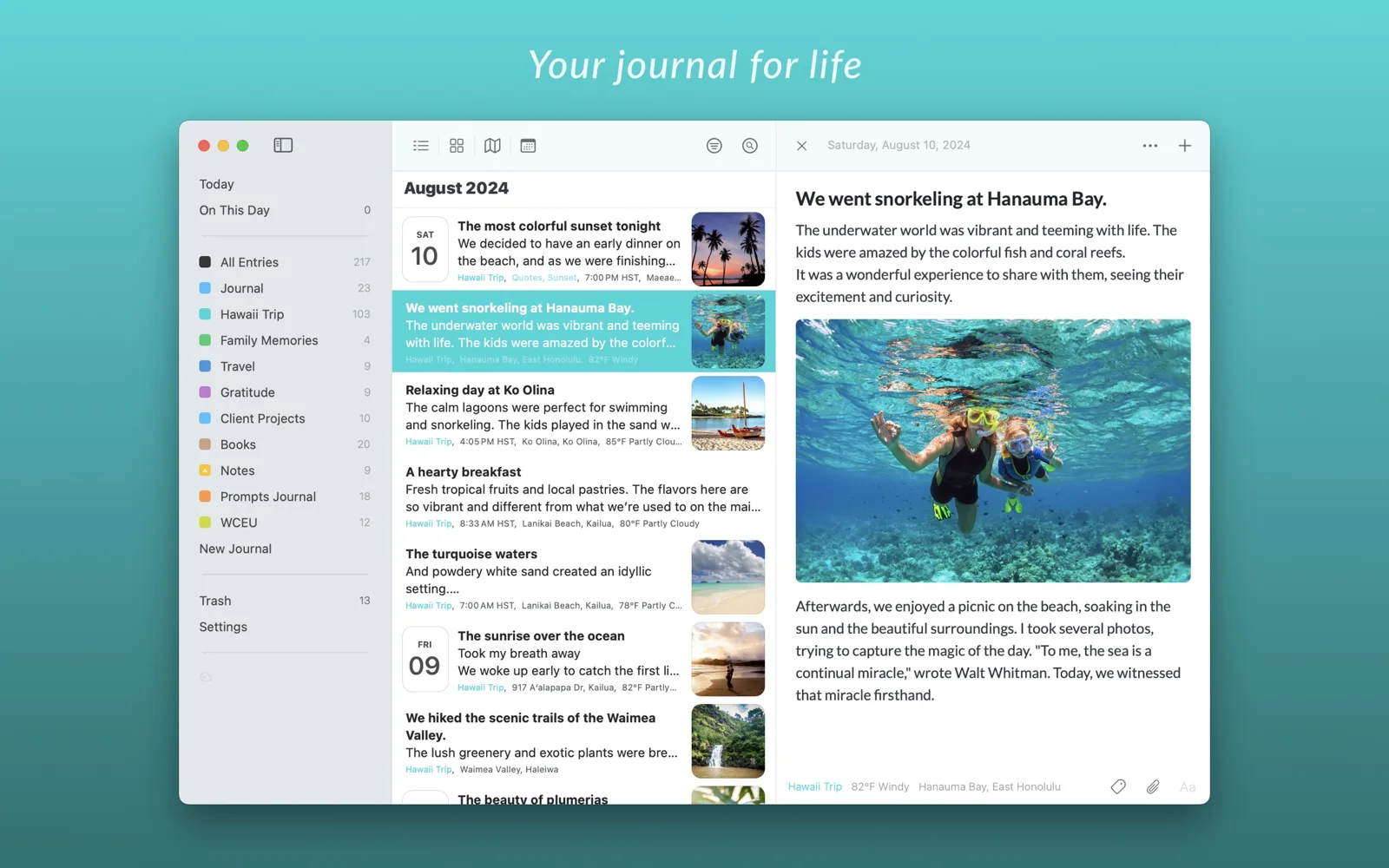
Day One has set the standard for digital journaling for more than a decade, and it shows. It runs on almost everything, syncs with end-to-end encryption through a Day One account, and has the deepest set of features here: multiple journals, templates, daily prompts, audio, and On This Day. Gold adds AI features such as Daily Chat, summaries and image generation.
Choose it if you want one journal on a Mac and a Windows PC or an Android phone, or the most features in one place. The catch: the free plan is limited to one device and one photo per entry, so most people end up on a yearly plan.
Apple Journal: free and built in

Apple's Journal app is on iPhone, iPad and, since macOS Tahoe, the Mac. It syncs through iCloud at no cost, can lock with Face ID or Touch ID, and offers Journaling Suggestions: moments from your photos, workouts and places to start an entry from. You can also log your state of mind, which is saved to Apple Health.
Choose it if you want something simple that costs nothing and needs no setup. The catch: it is deliberately plain, has no way to import from another journal, and stays inside Apple's devices.
Diarium: pay once, sync your own way
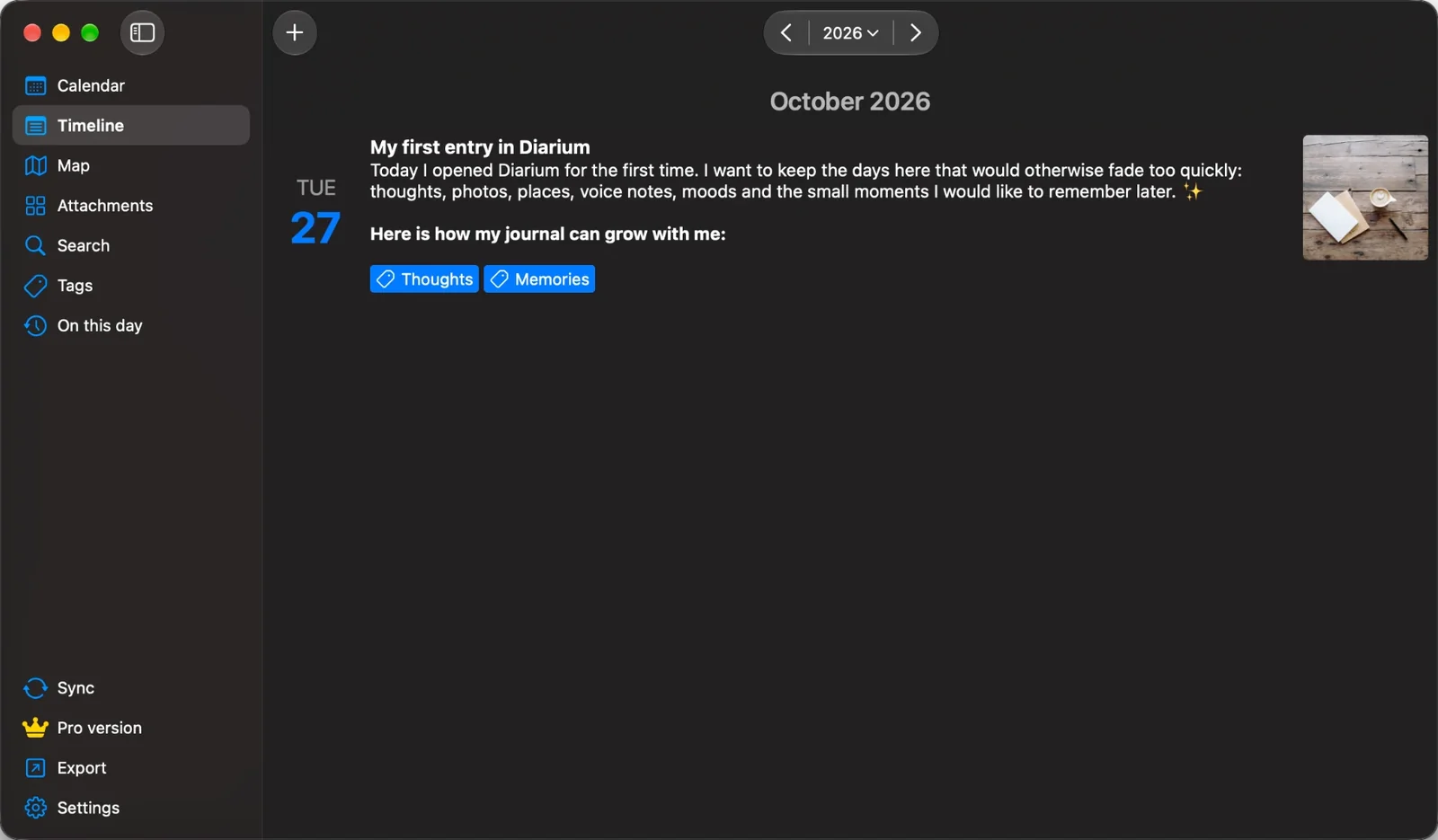
Diarium is a private journal that needs no account and runs on more platforms than any other here, Windows and Chromebook included. Its Pro features are a one-time purchase per platform, and it syncs through cloud storage you already have. It is strong on automatic context, filling entries with photos, calendar events, weather and workouts, and on tracking mood, weight and habits with tags.
Choose it if you dislike subscriptions, use Windows or Android, or like your entries filled in for you. The catch: Pro is bought separately on each platform you use, and sync needs Pro.
Diarly: Markdown, mood and the Apple Watch
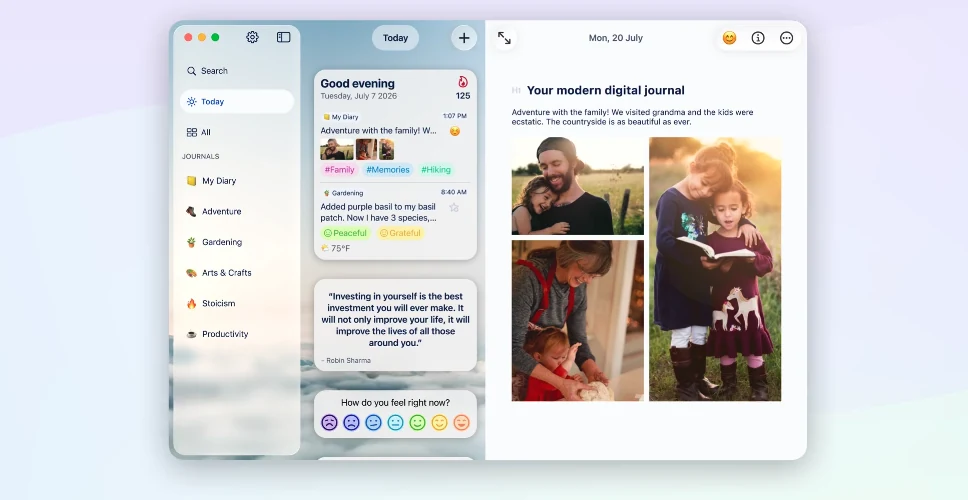
Diarly is made only for Apple devices, including the Apple Watch. The free version gives you unlimited entries in one diary on one device, with mood tracking, streaks, reminders, On This Day and Markdown export. Premium adds iCloud sync with end-to-end encryption for entry text, unlimited journals, voice notes with transcription, EPUB and PDF export, and an AI assistant.
Choose it if you like Markdown, want to track your mood and habits, or want to write on your wrist. The catch: syncing between your Mac and iPhone needs Premium, which is a subscription with no lifetime option.
Ember: a journal that remembers your people
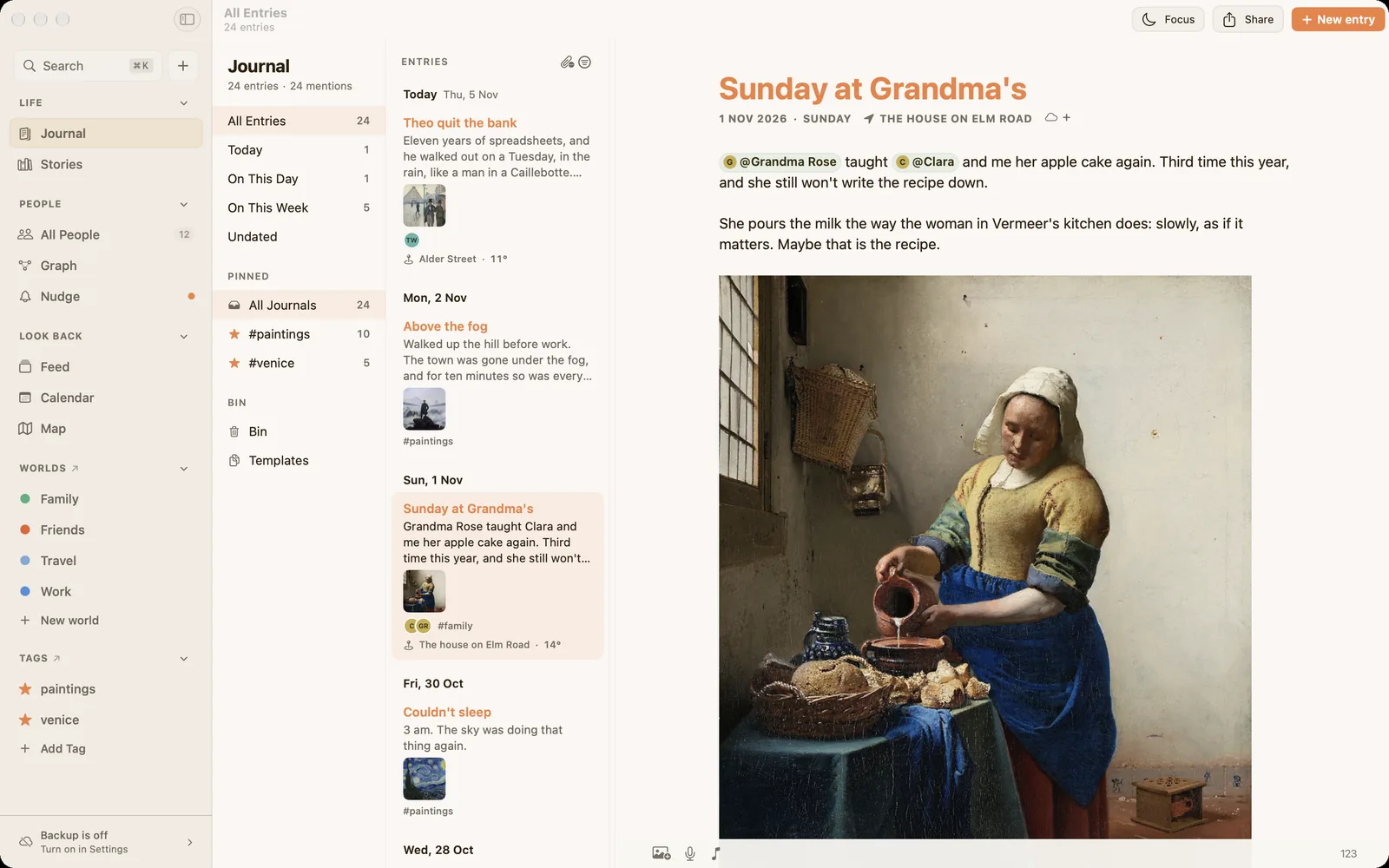
Ember is the one I make. It is a native journal for Mac, iPhone and iPad built around one idea: when you mention someone with @, the entry joins that person's own page. Years later you can open the page of a friend, a parent or a grandparent and read everything you wrote about them, in order. Worlds keep the circles of your life apart, stories hold threads that run for years, and on Mac and iPad a graph shows everyone at once. There is no AI anywhere, no account, and you can export your whole journal as open, documented JSON at any time.
The whole journal is free, with no limit on entries or photos. Ember Plus adds iCloud sync and every theme. Ember imports from Day One, Apple Journal and Diarium.
Choose it if the people in your entries matter as much as the days. The catch: it is newer and smaller than the others, it is only on Apple devices with no Apple Watch app, and it has no mood tracking or streaks by design.
How to choose
- Do you need Windows or Android? Day One or Diarium. The other three are Apple only.
- Do you want no AI at all? Apple Journal, Diarium or Ember. Day One and Diarly offer AI in their paid plans.
- Do you want to pay once? Diarium Pro, or Ember Plus lifetime. Apple Journal is free.
- Do you want sync for free? Apple Journal. The others sync with a paid plan.
- Do you want to keep the people in your life? Ember. The others keep names as text or tags.
All five let you lock your journal and export what you wrote, so the choice you make today doesn't have to be forever.
For a closer look at one pair, see Day One vs Ember, Apple Journal vs Ember, Diarium vs Ember and Diarly vs Ember.
Questions about Mac journaling apps
What is the best free journaling app for Mac?
Apple Journal and Ember are both free with no limit on what you write. Apple Journal also syncs for free through iCloud; Ember syncs with Ember Plus. Day One, Diarium and Diarly have free versions with limits, such as one device or one photo per entry.
Which Mac journal app is the most private?
Diarium, Diarly and Ember need no account and sync through your own cloud, and Day One encrypts end to end. Apple Journal keeps your entries in your iCloud. If you also want no AI anywhere, choose Apple Journal, Diarium or Ember.
Is there a journal app for Mac without a subscription?
Yes. Apple Journal is free. Diarium Pro is a one-time purchase per platform. Ember's journal is free, and Ember Plus can be bought once instead of monthly.
Which journal app works on both Mac and Windows?
Day One and Diarium. Apple Journal, Diarly and Ember run only on Apple devices.
Can I move my journal from Day One to another app?
Yes. Day One exports your journal as JSON, and Diarium, Diarly and Ember can all import it. Diarly and Ember can also import from Apple Journal.
Give everyone in your journal a page.
Ember is free on Mac, iPhone and iPad. No account, no AI, and your journal stays yours.
Download on the App Store