
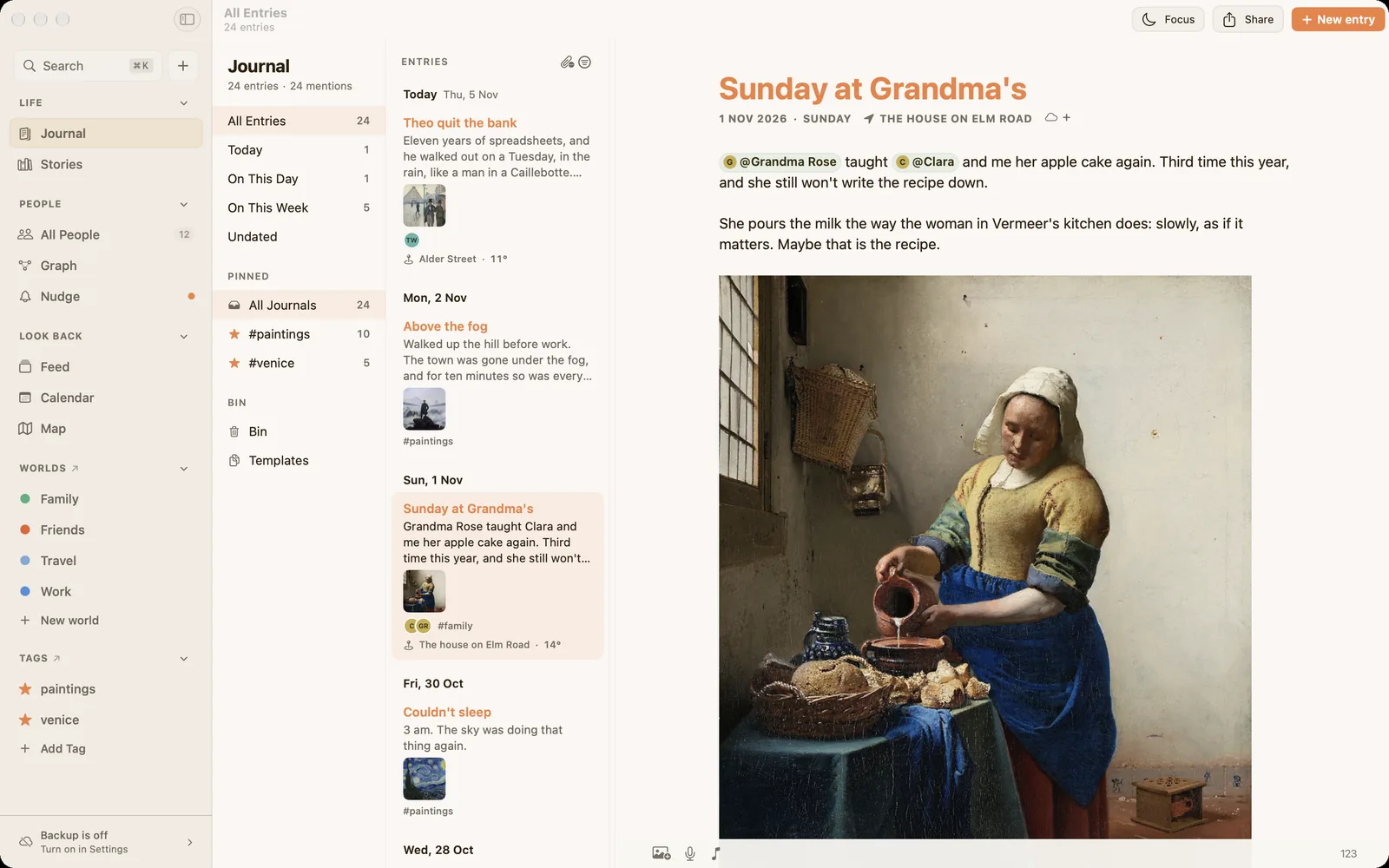
Diarium is a thoughtful, private journal that runs on almost every device, needs no account, and lets you sync through your own cloud storage. Ember shares those values. It differs in one way that matters to some people a great deal: in Ember, everyone you write about gets their own page, and every moment you have written about them gathers there.
Is Ember a good Diarium alternative?
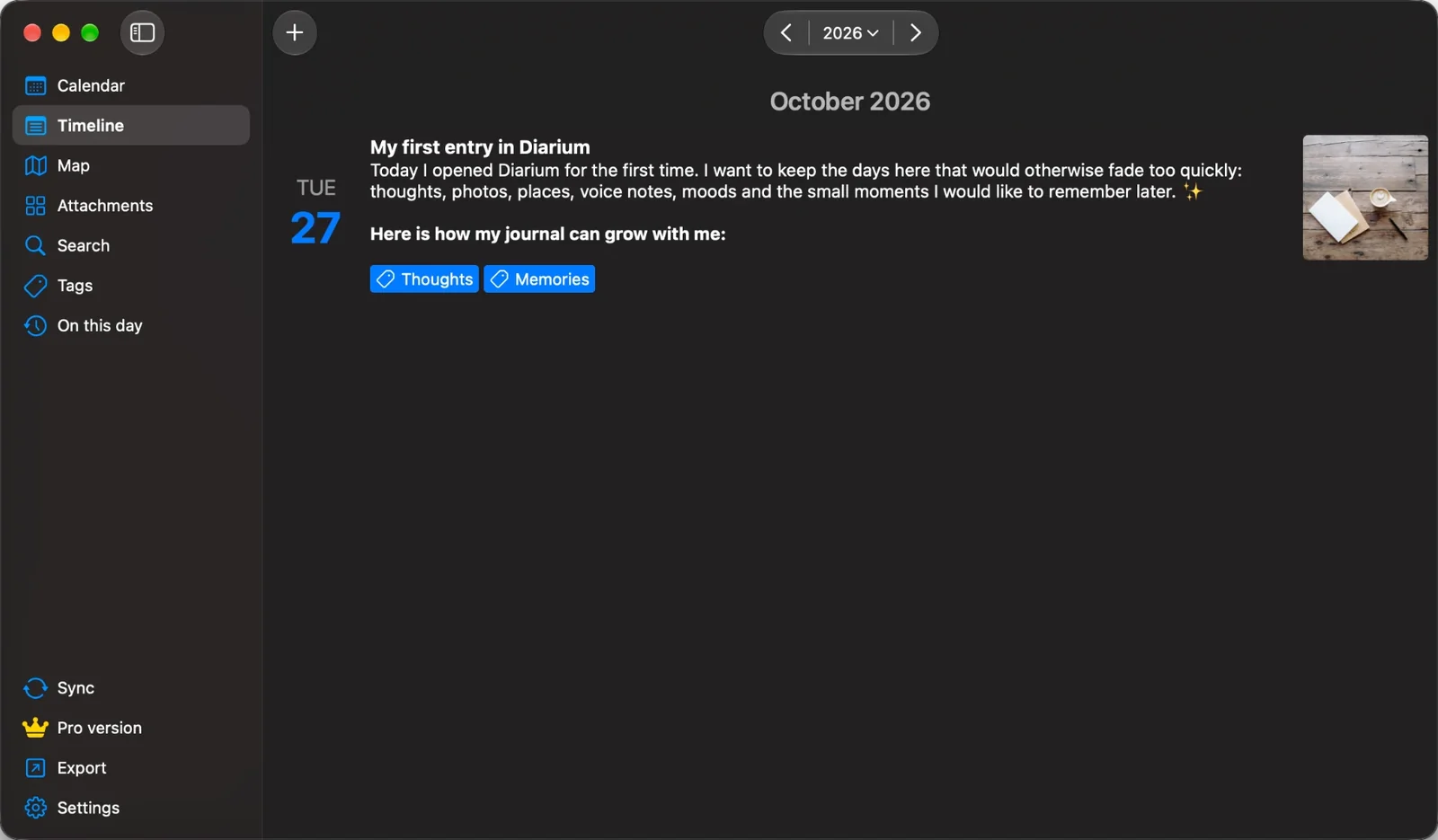
The short version: yes, if you write on Apple devices and the people in your entries matter most to you. Stay with Diarium if you need Windows, Android or a Chromebook, want automatic context from your calendar, fitness apps and social accounts, or track your mood and other numbers with tags.
Diarium may suit you better if
You use Windows, Android or a Chromebook as well as Apple devices. You like your entries filled in with context automatically: photos, calendar appointments, weather, workouts, and posts from other services. You track mood, weight or habits with tags, or want to sync through OneDrive, Google Drive, Dropbox or WebDAV.
Ember may suit you better if
You want to type @ and a name and have that entry kept on the person's page for good. You want worlds and stories that hold the long threads of your life, a quiet nudge when someone you care about starts to drift, no AI anywhere, and a backup you can read in any text editor.
The two apps, side by side
| Diarium | Ember | |
|---|---|---|
| Price | Free on Android, iPhone, iPad and Mac, with Diarium Pro as a one-time purchase per platform. Paid on Windows, with Pro included. Prices are shown in the app. | Free, with no limits on what you write. Ember Plus adds sync and every theme, from $4.99 a month in the US. |
| Devices | Windows, Android, iPhone, iPad, Mac and Chromebook | iPhone, iPad and Mac |
| Account | None needed | None needed |
| Sync | With Pro, through your own OneDrive, Google Drive, Dropbox, iCloud or WebDAV | With Ember Plus, through your own iCloud |
| People | Names are part of the text, or tags | Type @ to mention someone. Each person has a page with every entry, story and conversation you have kept about them. |
| Organising | Tags, multiple entries per day, timestamps | Worlds, stories and tags |
| Starting an entry | Templates, plus automatic context from photos, calendar, weather, fitness and other services | A blank page with one gentle question, your own templates, or a moment from Apple's Journaling Suggestions on iPhone |
| Looking back | Calendar, timeline, map, gallery and On this day | Calendar, map, gallery, and memories in the Feed: what you wrote on this day, and the anniversary of the day you met someone |
| Tracking | Mood, weight and other numbers with tags, plus statistics | Not a feature. No scores, no streaks. |
| Staying in touch | Not a feature | A quiet nudge when someone you are tending starts to fade |
| AI | None advertised | None, on any plan |
| Lock | Password, PIN or biometrics | Face ID, Touch ID or your passcode |
| Export | JSON, plain text and web page; PDF and Word with Pro | A full backup as one .zip of plain JSON with your original photos and media, readable without Ember. PDFs of entries and stories, and your whole journal as a printed book. All free. |
| Import from other apps | Day One, Diaro, Journey, Daylio, Diarly, Daybook, Evernote and more | Diarium, Day One, Apple Journal and Contacts |
Diarium details checked on November 8, 2026 against Diarium's own site and its FAQ. Apps change, so check there for the latest.
What the two have in common
It's worth saying plainly: Diarium and Ember are built on similar beliefs. Neither needs an account. Neither sends your journal to a company server; sync goes through cloud storage you already own. Both lock with your face or fingerprint, and both let you take your writing with you. If those things matter to you, you're choosing between two good homes.
Where Ember is different
Everyone gets a page
Mention someone with @ and the entry joins their page. Years later, you can open the page of a friend, a parent or a partner and read your whole history together, in order, in your own words. Diarium can tag a name, but it doesn't keep a living page for each person.
Worlds and stories
Worlds keep the circles of your life apart: work, family, old friends. Stories hold the threads that run for years: a friendship, a move, a hard season. Together they turn a stack of days into something you can walk around in.
Gentle, not measured
Ember doesn't score your days or keep streaks. Instead, for the people you choose to keep close, it notices when someone has gone quiet in your writing, and shows you their name. Nothing more.
Moving from Diarium to Ember
Ember imports a Diarium backup directly, on Mac, iPhone and iPad. The backup is free in Diarium, so you don't need Diarium Pro to move.
- Make a backup in Diarium. Open Diarium, go to Settings and choose Backup diary. Save the
.diaryfile it makes. - Open it in Ember. Choose Diarium on the welcome screen. Later on, use File ▸ Import ▸ Diarium on a Mac, or open Settings on iPhone and iPad and choose Diarium under Import. Pick the
.diaryfile. - Link your people. Your entries come in with their dates, headings, text and formatting, photos, tags and places. The people you linked in Diarium are written into each entry by name, and Find People then helps you give each of them their own page.
Star ratings stay behind, and so do the feeds Diarium adds automatically, such as calendar events and workouts. Each tracker's value comes in as a line of its entry. Import the same backup again later and only the new entries come in. See Import and export for the details.
Comparing other journals too? See Day One vs Ember, Apple Journal vs Ember, Journey vs Ember and Diarly vs Ember. Or see all five side by side in the best journaling apps for Mac in 2026.
Questions from Diarium users
Is there a free version of Diarium?
Yes. Diarium is free on Android, iPhone, iPad and Mac, with some features, such as sync, PDF and Word export and integrations, in Diarium Pro, a one-time purchase per platform. On Windows, Diarium is a paid app that includes Pro.
Is Diarium safe and private?
Diarium needs no account, keeps entries on your device, syncs only through your own cloud storage if you turn sync on, and can be locked with a password, PIN or biometrics. Ember works the same way on those points.
Can I import my Diarium journal into Ember?
Yes. In Diarium, go to Settings and choose Backup diary, then open the .diary file in Ember. Your entries come in with their dates, text, photos, tags and places, on Mac, iPhone and iPad. The backup is free in Diarium, so you don't need Diarium Pro. Ember also imports from Day One and Apple Journal.
Does Ember work on Windows or Android?
No. Ember is built natively for Mac, iPhone and iPad. If you need your journal on Windows or Android, Diarium is the better choice.
What is the best private journaling app?
It depends on what private means to you. Diarium and Ember both need no account and sync only through your own cloud. Choose Diarium for the widest range of devices and automatic context; choose Ember if the people in your life are what you most want to keep.
Give everyone in your journal a page.
Ember is free on Mac, iPhone and iPad. No account, no AI, and your journal stays yours.
Download on the App Store