Short answer: choose Apple Journal if you want a free, simple journal that lives on your Apple devices and suggests moments from your day. Choose Day One if you want a full-featured journal on almost every platform, and you're happy to pay for sync and extras. Both are good apps. They are built for different kinds of journaling.
I make a journal app myself, Ember, so I've spent a lot of time with both. This comparison is about Apple Journal and Day One. Ember gets one short section near the end, for people who want something neither of them does.
The 30-second version
- Price: Apple Journal is free. Day One has a free plan for one device, and paid plans at $49.99 or $74.99 a year.
- Devices: Apple Journal runs on iPhone, iPad and Mac. Day One adds Apple Watch, Android, Windows and the web.
- Getting started: Apple Journal offers Journaling Suggestions from your photos, workouts and places. Day One offers daily prompts and templates.
- Depth: Day One has more ways to organise, format, export and print. Apple Journal keeps things deliberately simple.
- AI: Day One's top plan adds AI features. Apple Journal's suggestions come from what your device already knows about your day.
Side by side
| Apple Journal | Day One | |
|---|---|---|
| Price | Free, built into your devices | Free with Basic. Silver is $49.99 a year, and Gold, with AI, is $74.99 a year. |
| Free plan | Everything | One device, one photo per entry |
| Devices | iPhone, iPad and Mac | iPhone, iPad, Mac, Apple Watch, Android, Windows and the web |
| Sync | Free, through iCloud | With Silver, through a Day One account, end-to-end encrypted |
| Starting an entry | Journaling Suggestions from your photos, workouts and places | Daily prompts and templates |
| Organising | Multiple journals | Journals and tags |
| Mood | Log your state of mind, saved to Apple Health | Not a core feature |
| AI | Journaling Suggestions, drawn from data on your device | Daily Chat, summaries, prompts and image generation, in Gold |
| Looking back | Browse and search your entries | On This Day |
| Export | All entries as a ZIP file, or entries as PDF | JSON, PDF, and plain text or Markdown, depending on the device |
| Import | Not a feature | Apple Journal, Journey, Diaro, CSV and plain text, depending on the device |
Checked on October 28, 2026 against Day One's pricing page, Day One's guides and Apple's Journal User Guide for Mac. Prices are US prices and change, so check there for the latest.
Apple Journal: strengths and limits

Apple Journal's biggest strength is that it is already there. There is nothing to install, no account to create and nothing to pay. It syncs through iCloud like your notes and photos, and it feels at home on every Apple device you own.
Its Journaling Suggestions are genuinely helpful on a tired evening. A photo from the afternoon, a walk, a place you visited: the app offers the moment, and you add a few words. For people who have never kept a journal, that small nudge is often the difference between starting and not.
The limits come from the same simplicity. There are few ways to organise beyond separate journals, export is a ZIP or PDF rather than an open format other apps read easily, and there is no way to bring in entries from another app. If you only ever write on Apple devices and keep things light, none of that may matter. If your journal grows into years of writing, it starts to.
Day One: strengths and limits
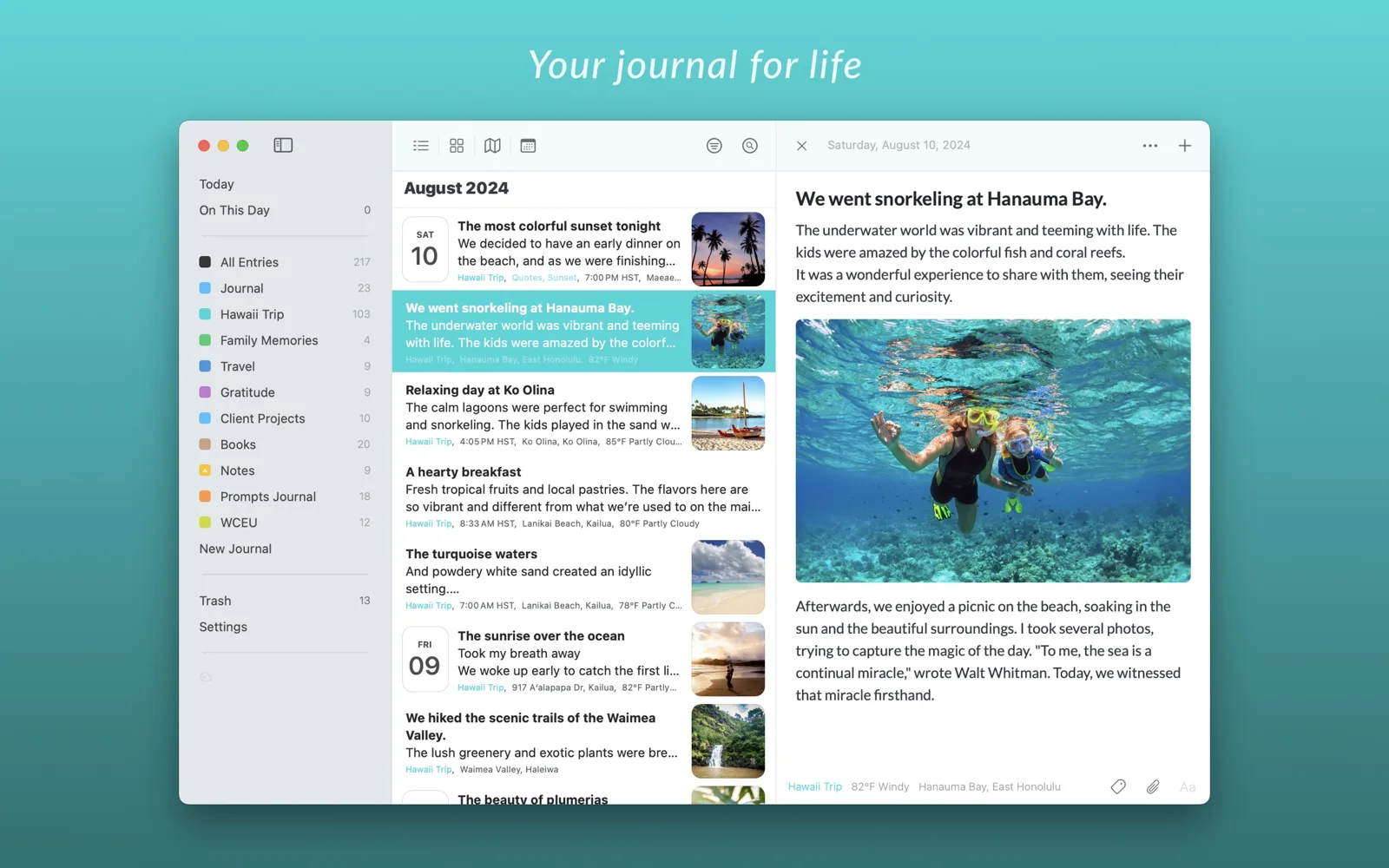
Day One has set the standard for digital journaling for more than a decade, and it shows. Rich formatting, multiple journals, tags, templates, daily prompts, On This Day, and journals that can be printed as books. It runs almost everywhere, which matters if you switch between an iPhone and a Windows laptop, or might move to Android one day.
Its sync is end-to-end encrypted, and it can import from many other apps, including Apple Journal, so you are rarely stuck.
The trade-off is cost and complexity. The free plan works on one device with one photo per entry, so most people who stay end up paying. The Gold plan's AI features, such as Daily Chat and entry summaries, will delight some writers and put off others who want their journal to be the one place no machine reads.
Which one fits you?
You only use Apple devices and want something simple
Apple Journal. It is free, it syncs, and it gets out of your way. You can always move to something else later.
You use Android, Windows or the web as well
Day One. Apple Journal only runs on Apple devices, and Day One is one of the few journals that runs on all of them.
You've never kept a journal and need help starting
Either works. Apple Journal's suggestions come from your own day; Day One's prompts are questions to answer. Try the one that feels less like homework.
You write long entries and want them organised for years
Day One. Tags, templates, formatting and broad export make a big archive easier to live with.
You want no AI anywhere near your journal
Day One without the Gold plan keeps its AI features out of your way. Apple Journal's suggestions come from on-device data about your day; whether that counts depends on you. If no AI at all matters a lot, read the third option below.
You want to track your mood
Apple Journal, which saves your state of mind to Apple Health alongside your entries.
What they cost over five years
Journals are for the long run, so it helps to look past the first month. At today's US prices:
- Apple Journal: $0.
- Day One Basic: $0, on one device with one photo per entry.
- Day One Silver: about $250 over five years ($49.99 a year).
- Day One Gold: about $375 over five years ($74.99 a year).
Prices change, and both companies may offer discounts, so treat these as a guide rather than a quote.
Moving between them
If you start in Apple Journal and outgrow it, Day One can import your Apple Journal export, so you don't lose what you wrote. Going the other way is harder: Apple Journal can't import from other apps.
Whatever you choose, export your journal now and then and keep a copy somewhere you control. A journal is meant to outlast the app you write it in.
A third option, if people are the point
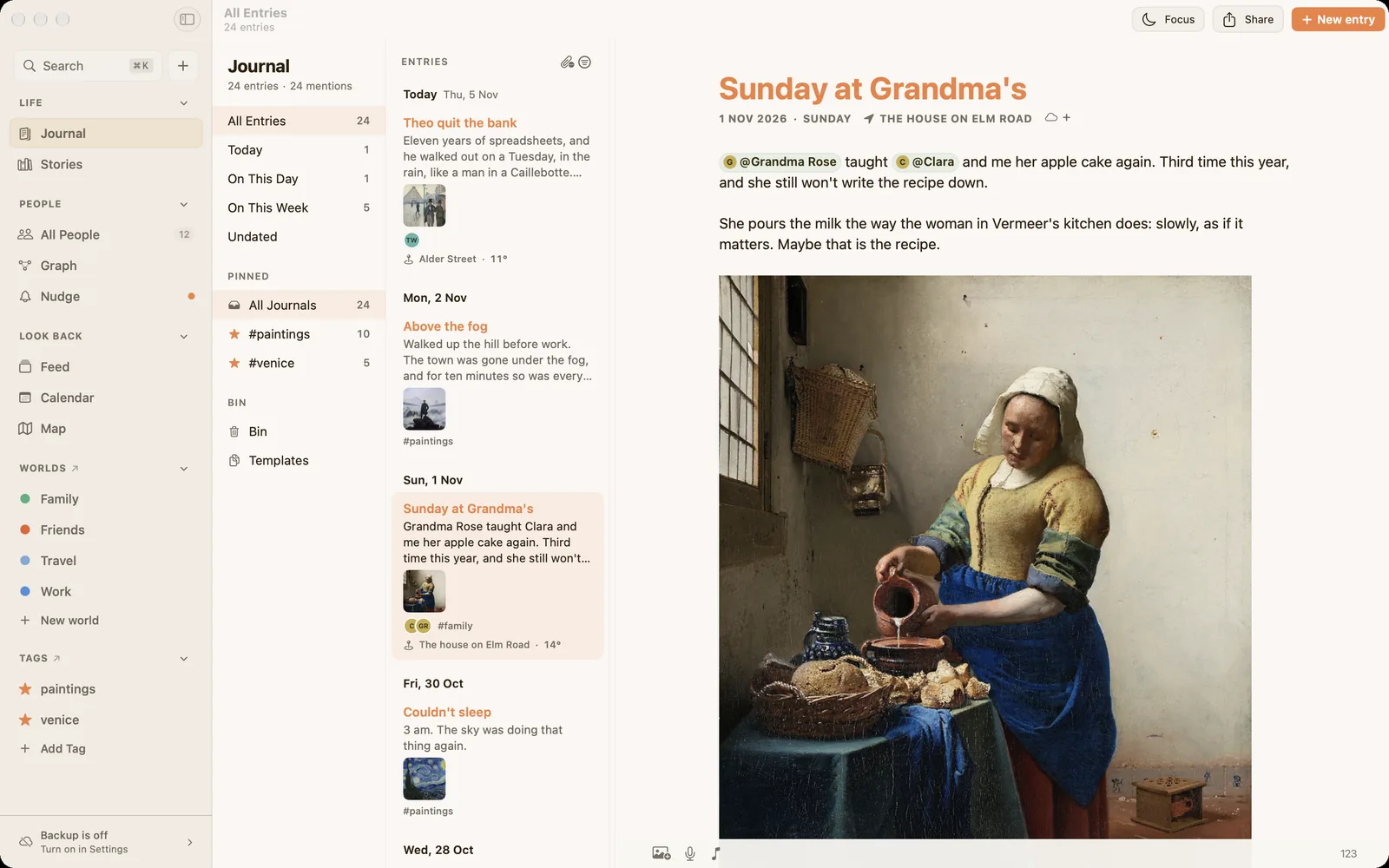
Both apps are organised around days. If what you most want to keep is the people in your life, that is the gap I built Ember to fill. When you mention someone with @, the entry joins their own page, so years later you can read everything you ever wrote about a friend or a parent in one place. It runs on iPhone, iPad and Mac, the core journal is free, it has no AI, and it imports from both Apple Journal and Day One. There's more in Apple Journal vs Ember and Day One vs Ember, and Diarium and Diarly join them in the best journaling apps for Mac in 2026.
Common questions
Which is better, Day One or Apple Journal?
Neither is better for everyone. Apple Journal is better if you want free and simple on Apple devices. Day One is better if you want more features, more platforms and broader export, and are willing to pay.
Is there a free version of Day One?
Yes. Day One Basic is free, with unlimited text entries, but it works on one device and allows one photo per entry. Sync across devices needs a paid plan.
Does the Apple Journal app sync across devices?
Yes. Apple Journal syncs between your iPhone, iPad and Mac through iCloud, at no extra cost.
Is the Journal app available on a Mac?
Yes. Apple Journal runs on Mac as well as iPhone and iPad.
Can I move my Apple Journal entries to Day One?
Yes. Export everything from Apple Journal as a ZIP file, then import it into Day One.
Does Day One use AI?
Day One's Gold plan includes AI features such as Daily Chat, entry summaries, prompts and image generation. The Basic and Silver plans work without them.
A journal that remembers your people
Ember is a private journal for Mac, iPhone and iPad that gathers your writing around the people in it. No AI, no account, and it imports from Apple Journal and Day One.
Download on the App Store