Ember on iPhone & iPad
Ember is one app on your Mac, iPhone and iPad. The iPad works just like the Mac. The iPhone is made for catching the moment on the go, so it's laid out a little differently, but every tool is there.
On iPad
Ember on iPad has the same layout as the Mac: the sidebar with your views, worlds and tags on the left, and the page beside it. Everything in these guides applies as written. With a keyboard attached, the Mac shortcuts work too: ⌘K to search, ⌘N for the New palette, ⌘L to log an interaction (see Keyboard Shortcuts). Where the guides say right-click, long-press.
On iPhone: the tab bar
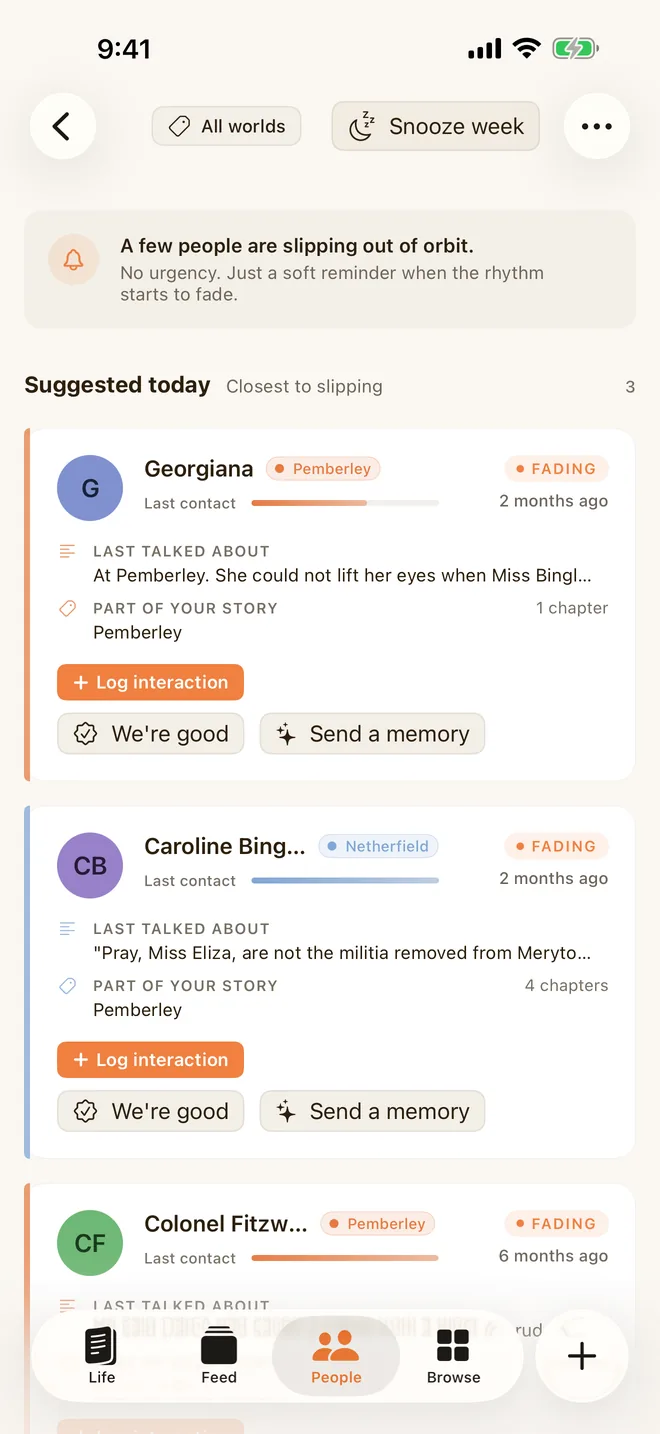
On iPhone, the sidebar becomes a tab bar along the bottom:
- Life: your Journal, Stories and the Map. Switch between them with the buttons at the top. The tab's icon shows which one you're on, and it remembers your choice.
- Feed: memories that come round today, and everything before. See The Feed & Nudge.
- People: everyone you've written about. The bell at the top opens Nudge.
- Browse: the Calendar, your worlds and tags, search, the People tools and Settings.
- +: create anything (an entry, a person, an interaction, a story, a world or a tag) from wherever you are. Long-press to rearrange the tiles.
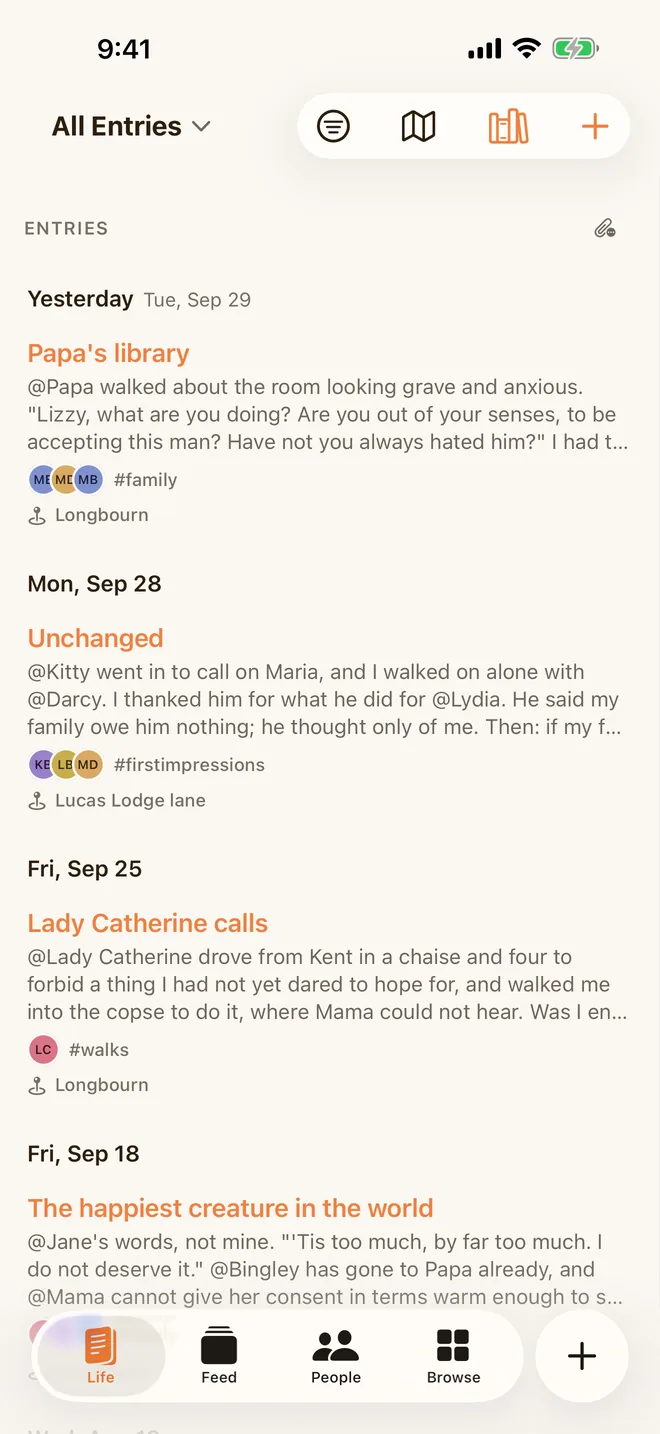
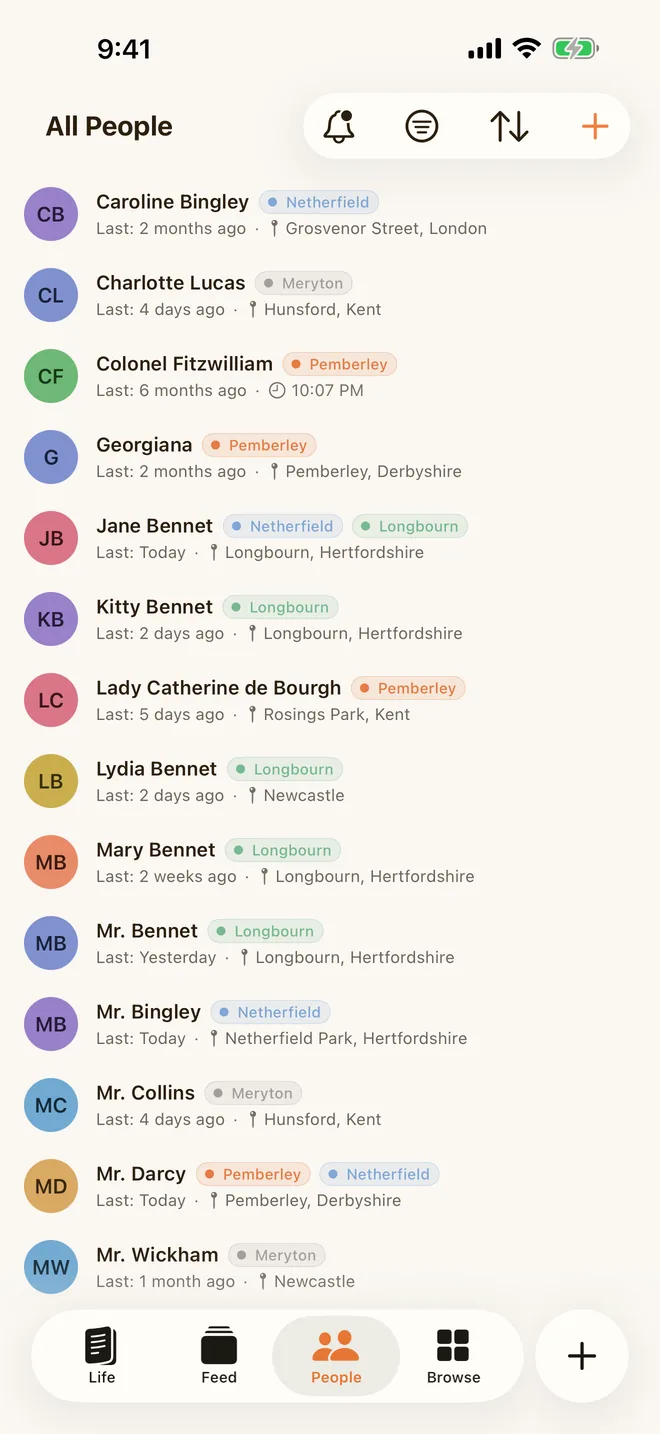
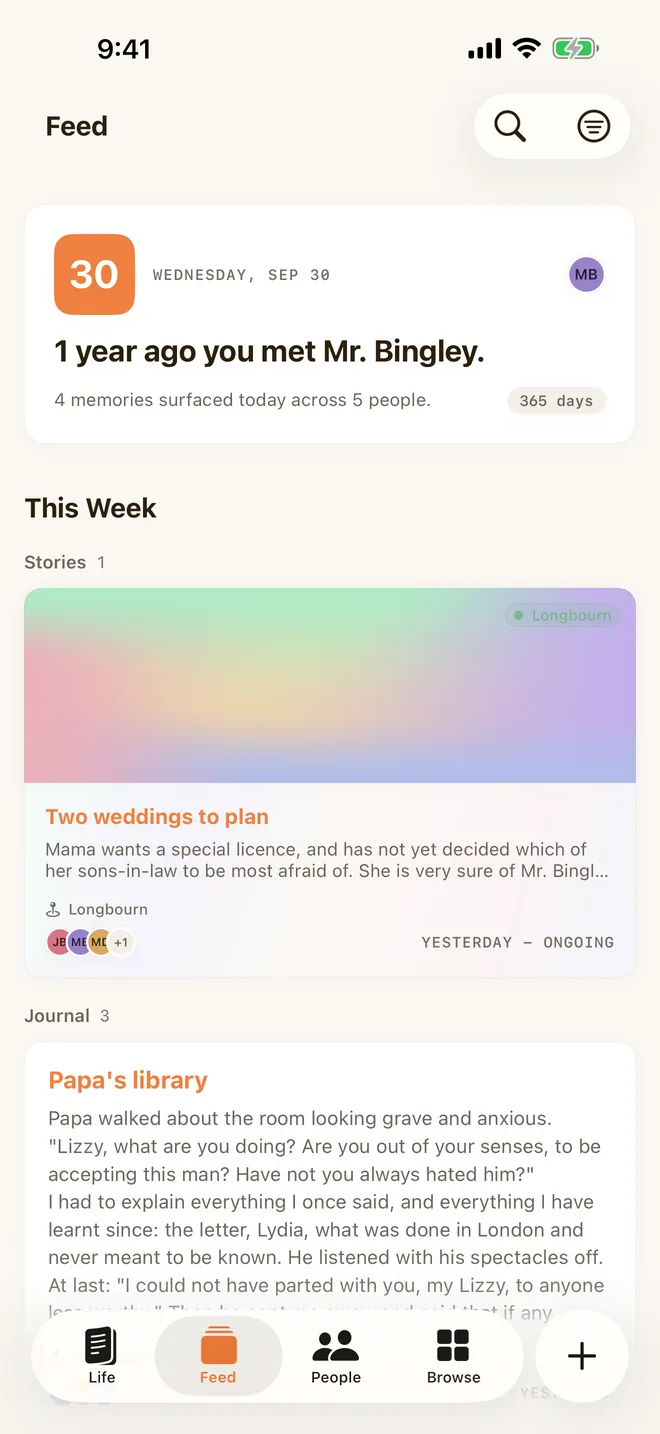
Ember opens on the Journal. Change that in Settings ▸ General ▸ Open Ember on.
Writing on iPhone
Writing works the same as everywhere else: type @ and a name to mention someone, # for a tag, and / for every kind of link. The bar above the keyboard adds photos, voice memos and songs. See The Journal.
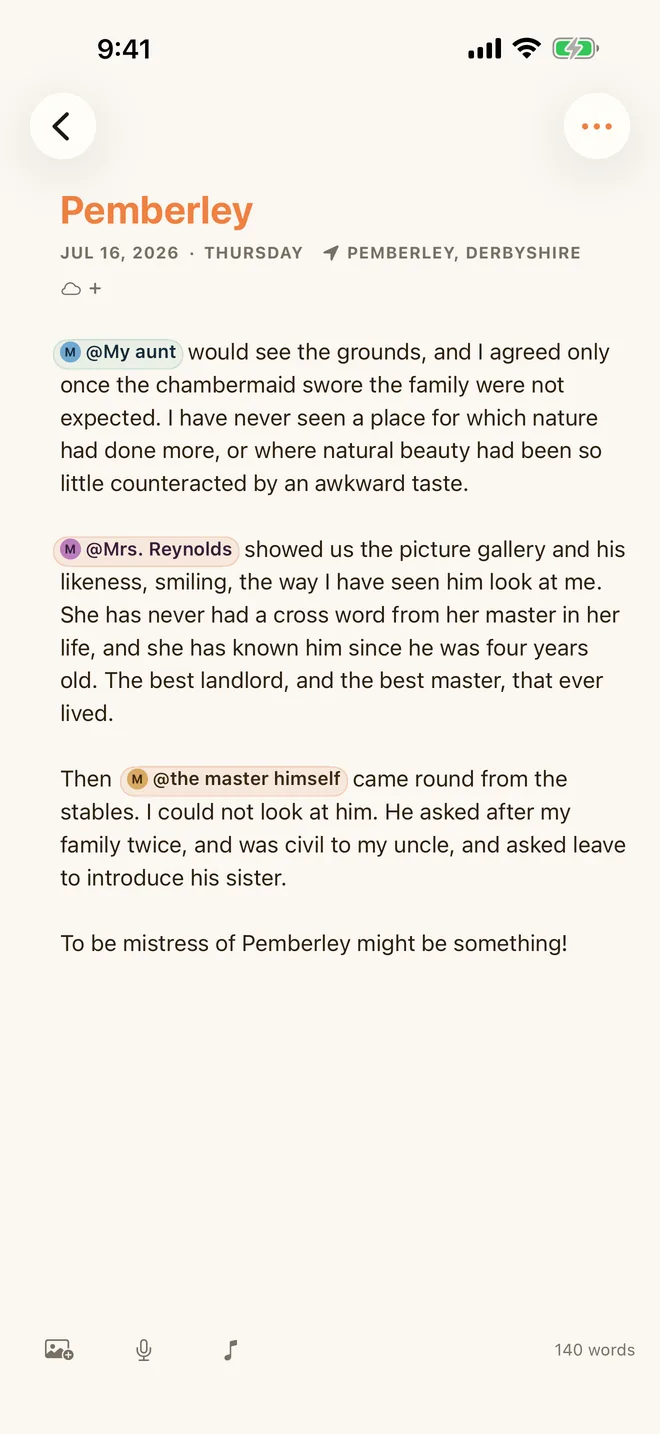
Following links
On iPhone, tapping a person, a story or a linked entry opens it as the next page in the same tab, and back returns you to where you were. You can follow a thread (an entry, then a person in it, then a story with them) and come back the same way.
Why there's no Graph on iPhone
The Graph needs room to be useful: on a phone screen it becomes a crowd of dots you have to pinch at. So on iPhone your people live in the People list, and the Graph is on your Mac and iPad. With sync on, people and worlds you add on iPhone appear on the Graph on your other devices.
Widgets
On iPhone and iPad, Ember has Home Screen widgets for your stories, anniversaries and the people you're tending, and Lock Screen buttons to start an entry, add a person or log an interaction. See Widgets.
Keeping devices in step
Each device works entirely on its own, offline, with no account. With Ember Plus, your Mac, iPhone and iPad stay in step through your own iCloud, never through an Ember server. One purchase covers every device.
Locking Ember
Turn on Lock Ember in Settings to ask for Face ID, Touch ID or your passcode before Ember opens. On iPhone and iPad, Ember locks as soon as you leave it. See Privacy & App Lock.