The Calendar
The Calendar shows your life by day. Each day in the month shows what you wrote, and the dates that come round every year: birthdays, the day you met someone, and dates you add yourself, like a wedding. Pick a day to read it, or to write about it.
Opening the Calendar
- Mac and iPad: choose Calendar in the sidebar, under Life.
- iPhone: open the Browse tab and choose Calendar.
Month
The month grid shows each day that has something in it: the entry's first line, or its photo, and the people whose dates fall that day. Today is outlined. Use the arrows at the top to move between months.
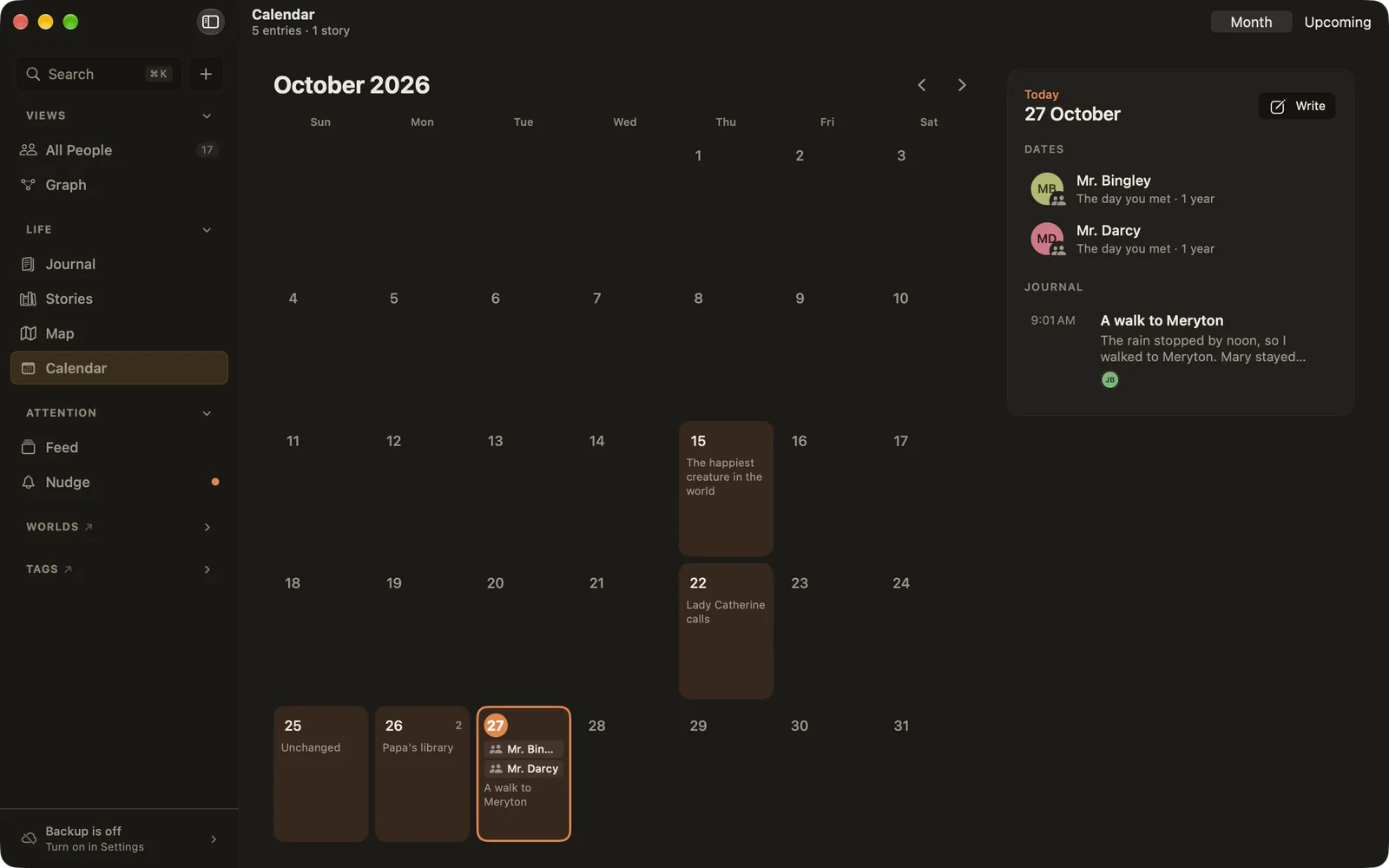
Click a day to list it on the right:
- Dates: birthdays, the day you met someone (with how many years ago) and yearly date fields.
- Journal and Stories: what you wrote that day. Click one to open it, and Back returns to the same day.
- Write: start an entry dated that day. Perfect for filling in a day you missed.
Upcoming
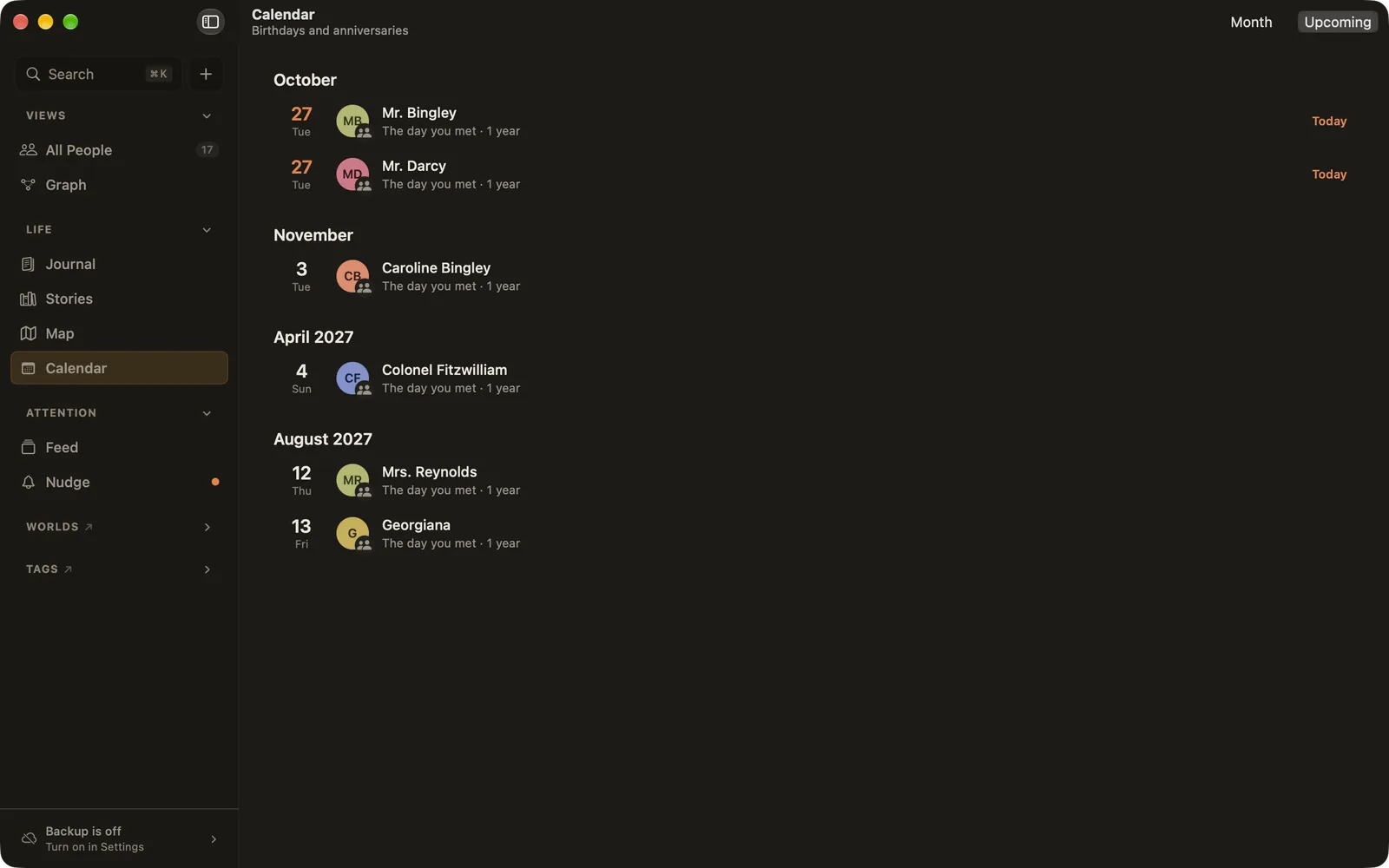
Switch to Upcoming at the top right for the yearly dates of the next twelve months, month by month, so you can see a birthday coming in time to do something about it.
Where the dates come from
The Calendar only shows dates you've written down. Nothing is guessed.
- Birthdays: from a person's page, or imported from Contacts.
- The day you met: from How we met on a person's page.
- Your own dates: on a person's page, add a field (such as "Wedding" or "Moved to Lisbon"), make it a date field, and choose whether it comes round every year. Turn that off for something that happened once: it then shows on its own day only.
You can also make a field kind a date for everyone in Settings ▸ Catalogue.