Relationship Intentions
Not every relationship should be measured the same way. A friend you want to see more often, your mother, someone you met once on a train and still think about: they matter in different ways. In Ember, each person has an intention that says how you want to keep them, and only that decides whether Ember ever reminds you about them.
The four intentions
| Intention | In your words | What Ember does |
|---|---|---|
| Tending | "I want to stay in touch." | Watches the time since you were last in touch. When it passes the rhythm of their world, they start to fade and appear in Nudge. |
| Rooted | "They matter, contact isn't needed." | Nothing to watch. Rooted bonds never fade, however long it's been. |
| Seen | "A meaningful encounter, just remembered." | Keeps them and every moment with them. No fading, no reminders. |
| Quiet | "We've drifted, and that's okay." | Lets them rest. No fading and no reminders, and they're left out of anniversary widgets. Everything you wrote stays. |
Choosing an intention
On a person's page, the word under their name shows their intention, or Fading when a Tending relationship has gone quiet. Click it to change it.
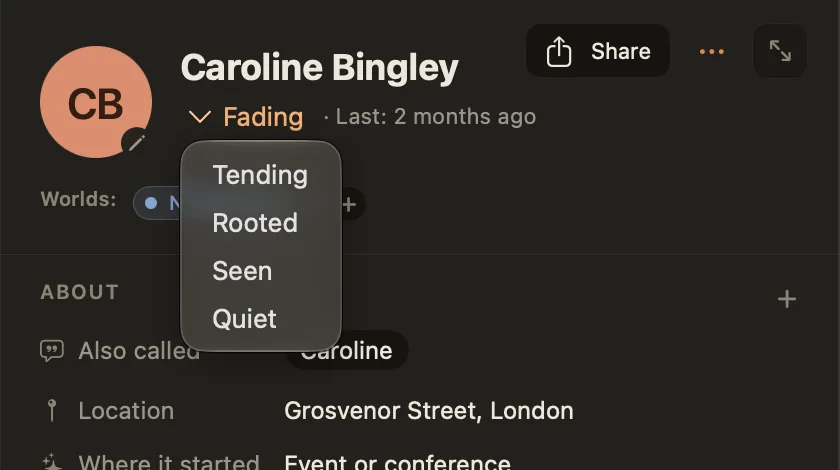
New people start as Tending. When you add someone from inside a world, they start with that world's usual intention: the default Family world holds people as Rooted. You can change it at any time, and it's fine for an intention to change as a relationship does.
A few rules of thumb:
- Choose Tending for the people you'd be sad to lose touch with by accident.
- Choose Rooted for the people who will be there no matter what: close family, the oldest friends.
- Choose Seen for the stranger at the wedding, the teacher who changed your mind, the friend of a friend you liked.
- Choose Quiet when a relationship has ended or paused and you'd rather not be reminded. It isn't deleting them.
What counts as contact
For a Tending person, Ember looks at the most recent of these:
- a journal entry that
@mentions them, - a logged interaction with them,
- a story they're part of (its last day, or the day it began while it's still ongoing),
- a note you wrote on their page,
- a We're good check-in (see below).
The story of how you met doesn't count: meeting someone in 2001 shouldn't keep them fresh today. Everything is worked out from what you actually wrote, every time, so deleting an entry or changing its date updates their status straight away.
If you haven't written anything with someone yet, their clock hasn't started, and they won't fade until you do.
Active, fading, dormant
A Tending relationship moves through three stages, set by the person's world:
- Active: you've been in touch within the world's rhythm, for example a month.
- Fading: the rhythm has passed. They appear in Nudge, and their status reads Fading.
- Dormant: they've stayed fading for the world's second period too, for example two more months. The relationship has gone cold.
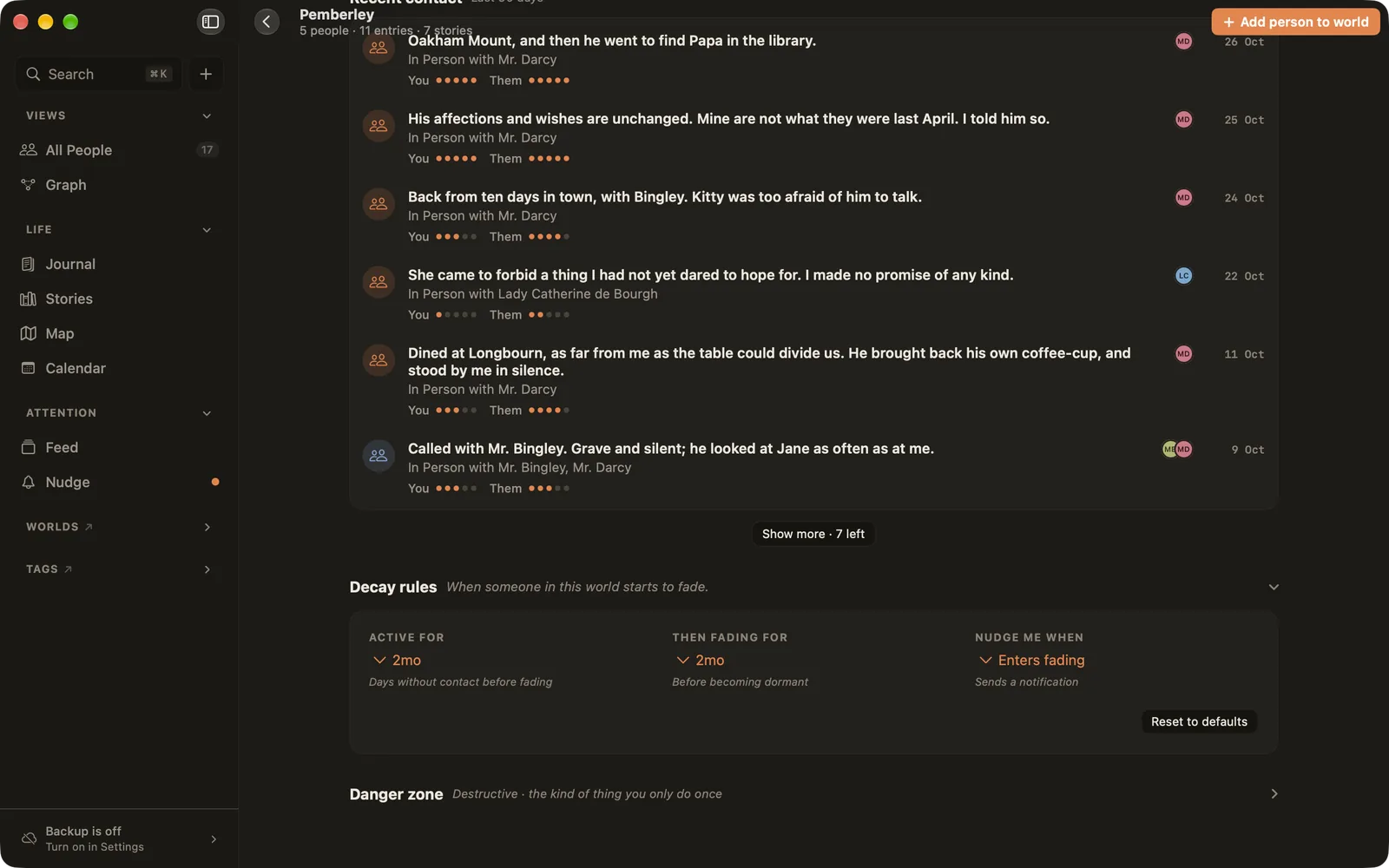
Each world sets both periods, and when to notify you, under Decay rules on its page. The default worlds start with Work at two weeks and Family at a month. If someone lives in several worlds, the most relaxed rhythm applies. People in no world use a month, then two months.
When someone fades
Fading people gather in Nudge (⌘7), most recently slipped first, each shown beside your own last words about them and the story you share. Each card offers a few ways forward, and none is required:
- Log interaction: you were in touch and didn't write it down. Log it, and their clock starts again.
- We're good: nothing to log, but the relationship is fine. Ember records a check-in for today and they leave the list. You can remove a check-in from their timeline later.
- Send a memory: make a memory card from something you share and send it to them.
- Not now (in the ⋯ menu): take them off the list for a while without recording anything.
- Let them rest (in the ⋯ menu): set them to Quiet, so they never fade again.
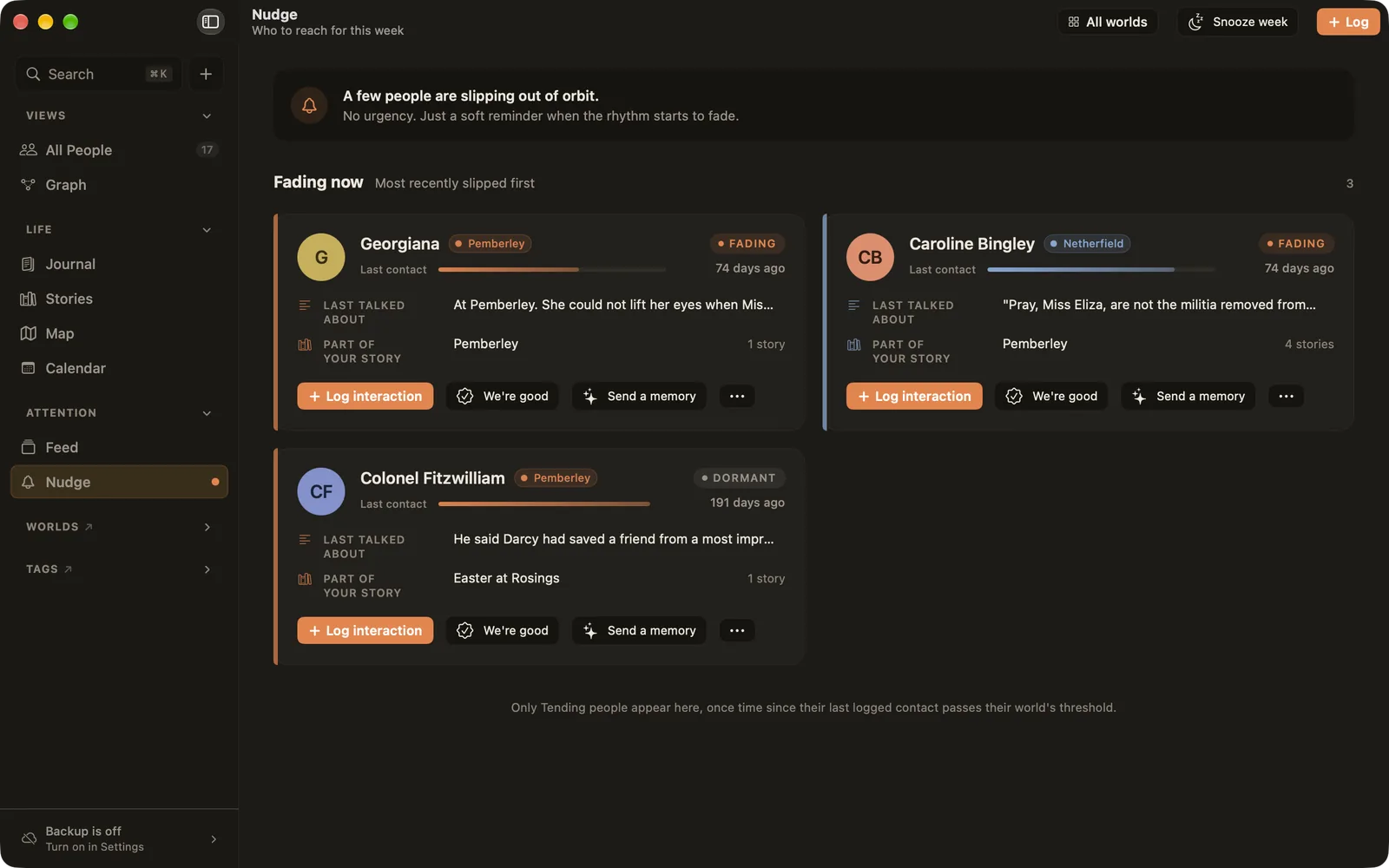
Snooze week at the top quiets the whole page for seven days. Nothing is lost while it's snoozed.
Notifications
Ember can send a quiet notification when someone starts to fade. Each world decides under Nudge me when: when they enter fading, when they become dormant, or never. People still fade inside the app when a world is set to never; Ember just won't notify you. If someone is in several worlds, the most eager setting wins.
Notifications are scheduled on your device. Ember asks for permission only after you've finished the welcome screen, and never sends a notification to bring you back to the app.