Worlds
A world is a part of your life and the people in it: Work, Family, university, the bookshop crowd, the friends from a summer abroad. Each world has a colour, and its own rhythm: how long someone in it can go without contact before they start to fade.
The Worlds page
Open Worlds with ⌘8, or the ↗ next to Worlds in the sidebar. Each card shows how many people are in the world, how many are fading or dormant, and its rhythm as a bar: active, then fading, then dormant.
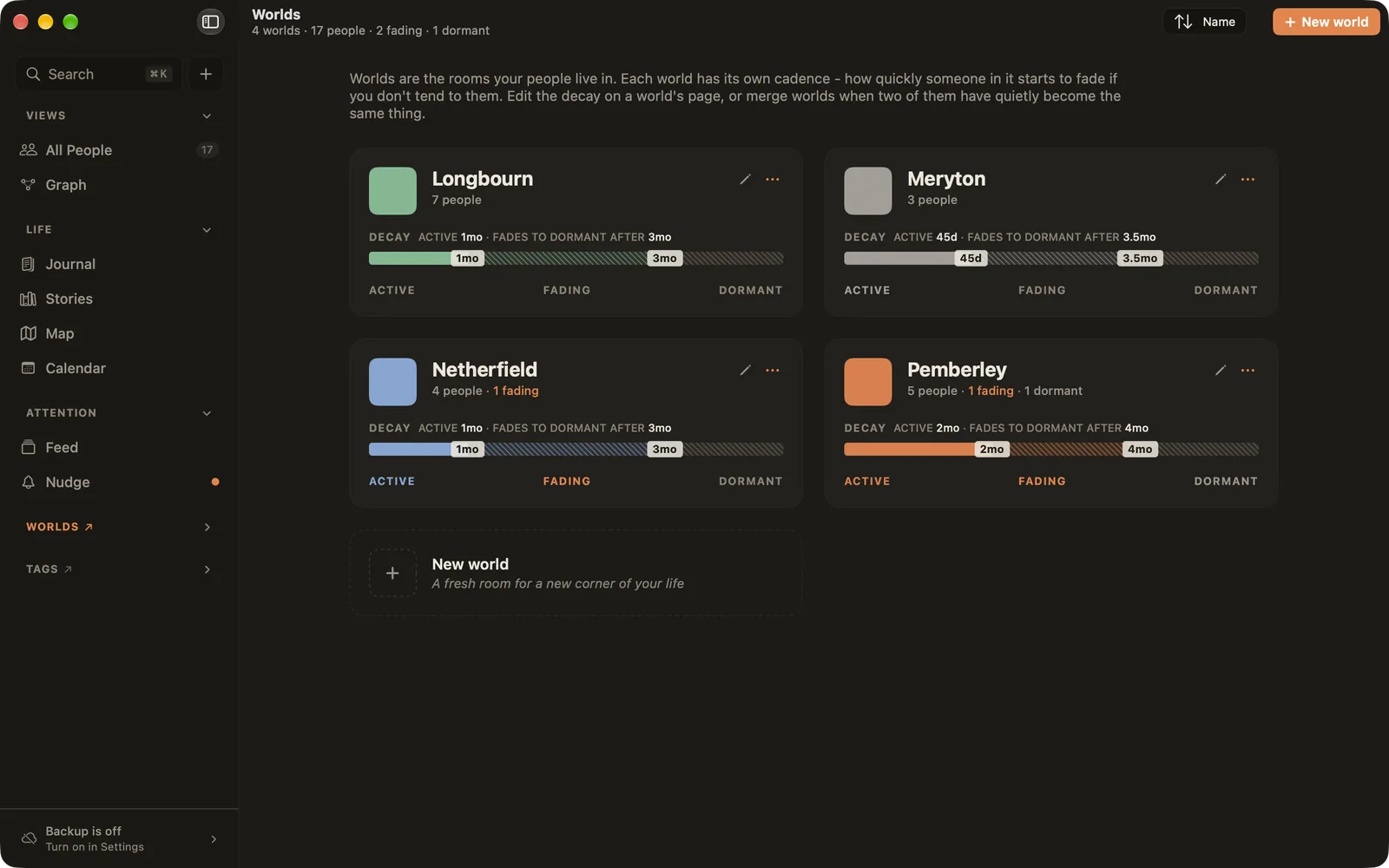
Ember starts you with Work and Family. Make more with New world or ⌘N ▸ World.
Putting people in worlds
- On a person's page, click + next to Worlds.
- On a world's page, choose Add person to world.
- When you add a new person, pick their worlds there and then.
People can live in several worlds. Their primary world, the first one they joined unless you choose another, gives them their colour. Ember remembers when people join and leave each world: someone who left shows under Used to be here on the world's page, and on the Graph's timeline.
A world's page
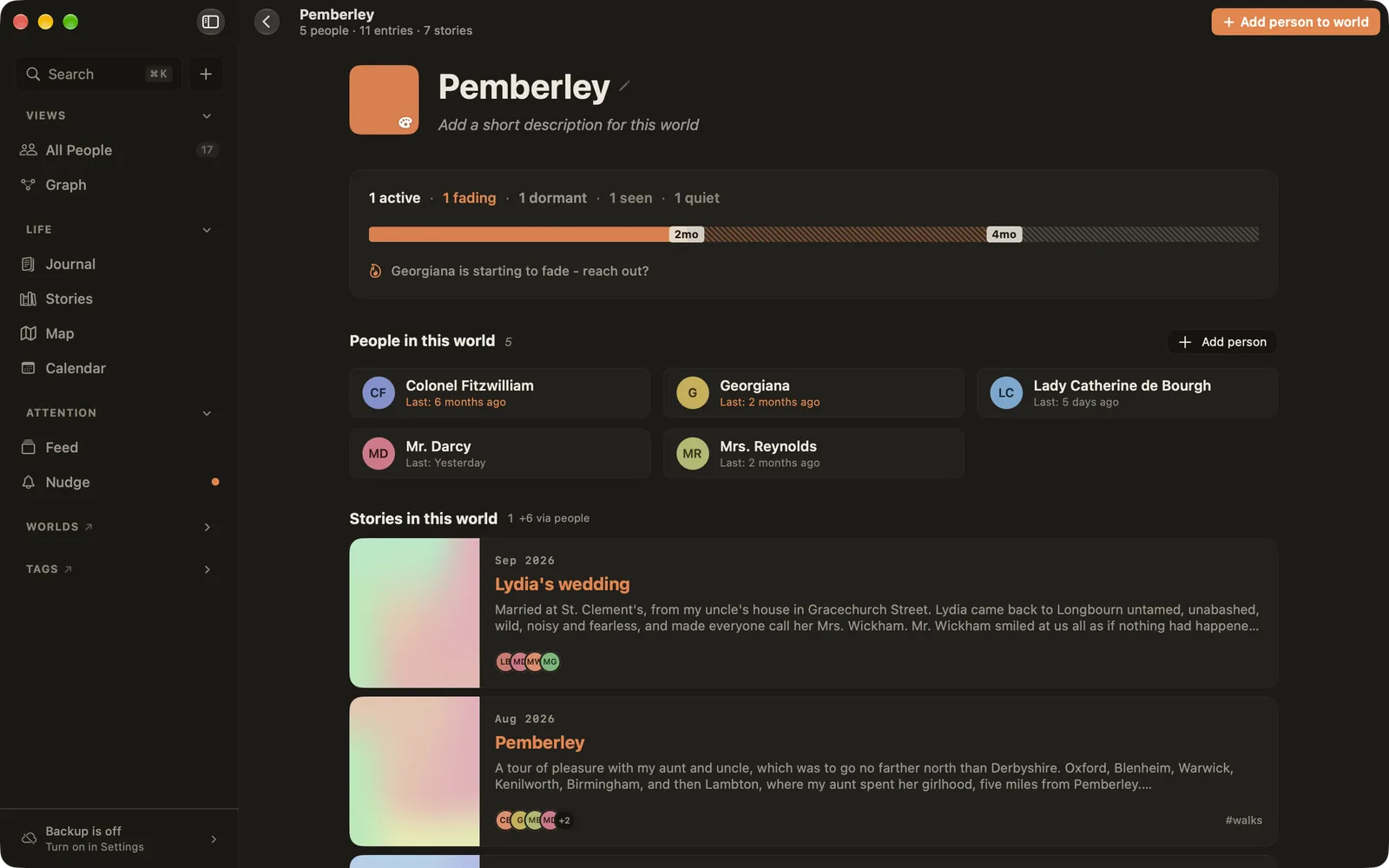
- At the top: how many people are active, fading, dormant, seen and quiet, and who is starting to fade.
- People in this world, with when you were last in touch.
- Stories in this world, including stories with anyone from it.
- Journal in this world: entries linked to the world with
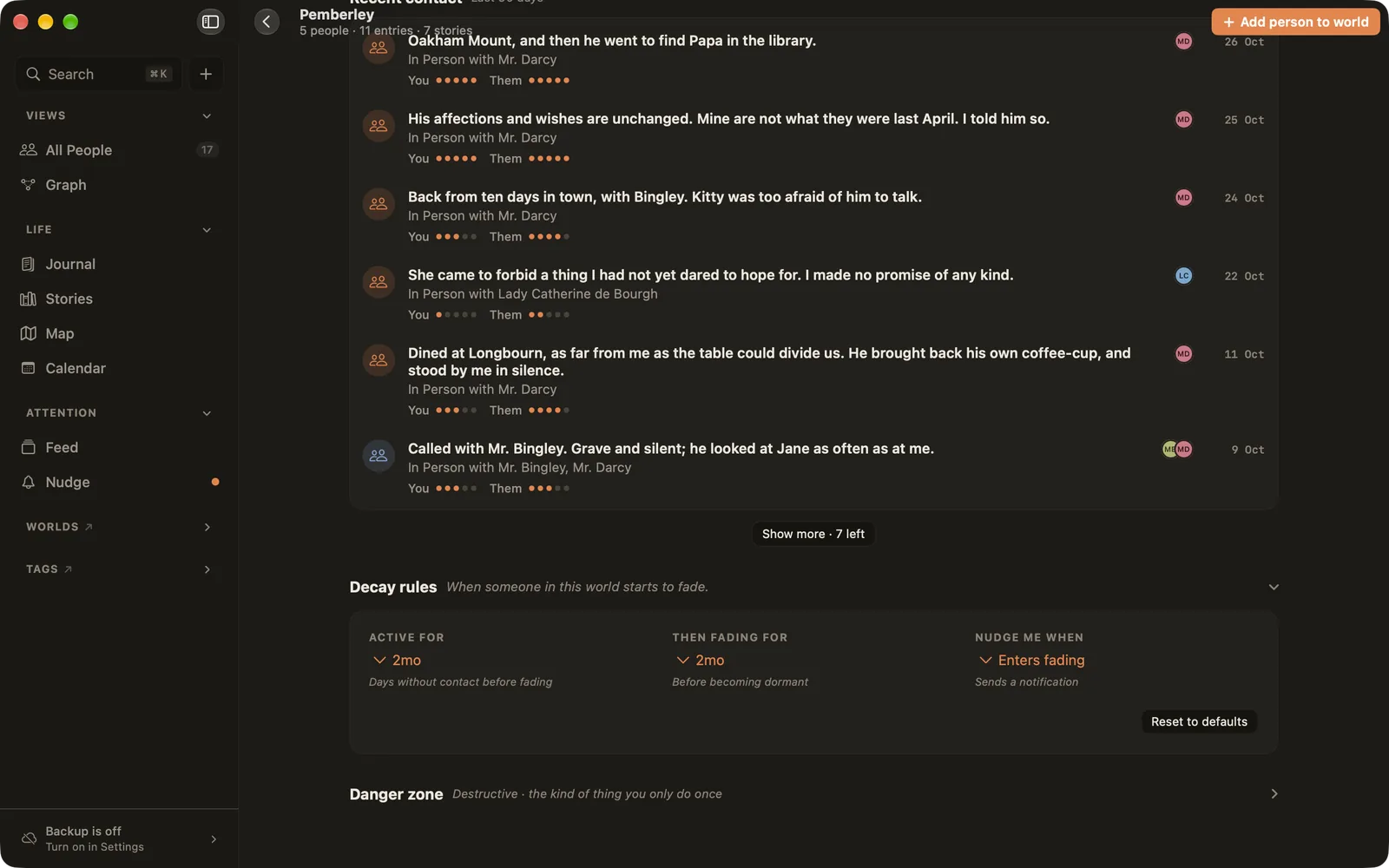
~, or that mention anyone in it. - Recent contact: interactions from the last 90 days.
- Decay rules and the Danger zone at the bottom.
Click the name to rename it, the colour square to change its colour, and add a short description under the name.
Decay rules: a world's rhythm
Open Decay rules at the bottom of the world's page:
- Active for: how long without contact before someone you're tending starts to fade.
- Then fading for: how long they stay fading before they're dormant.
- Nudge me when: when they enter fading, when they become dormant, or never.
Only people you're tending can fade. Rooted, Seen and Quiet people in the same world never do.
Merging and deleting
In the Danger zone, Merge into another world moves everyone and every shared entry into another world, then deletes this one. Useful when two worlds have quietly become the same thing. Delete this world moves it to Recently deleted on the Worlds page, where you can restore it. Its people stay in your library either way.