The Graph
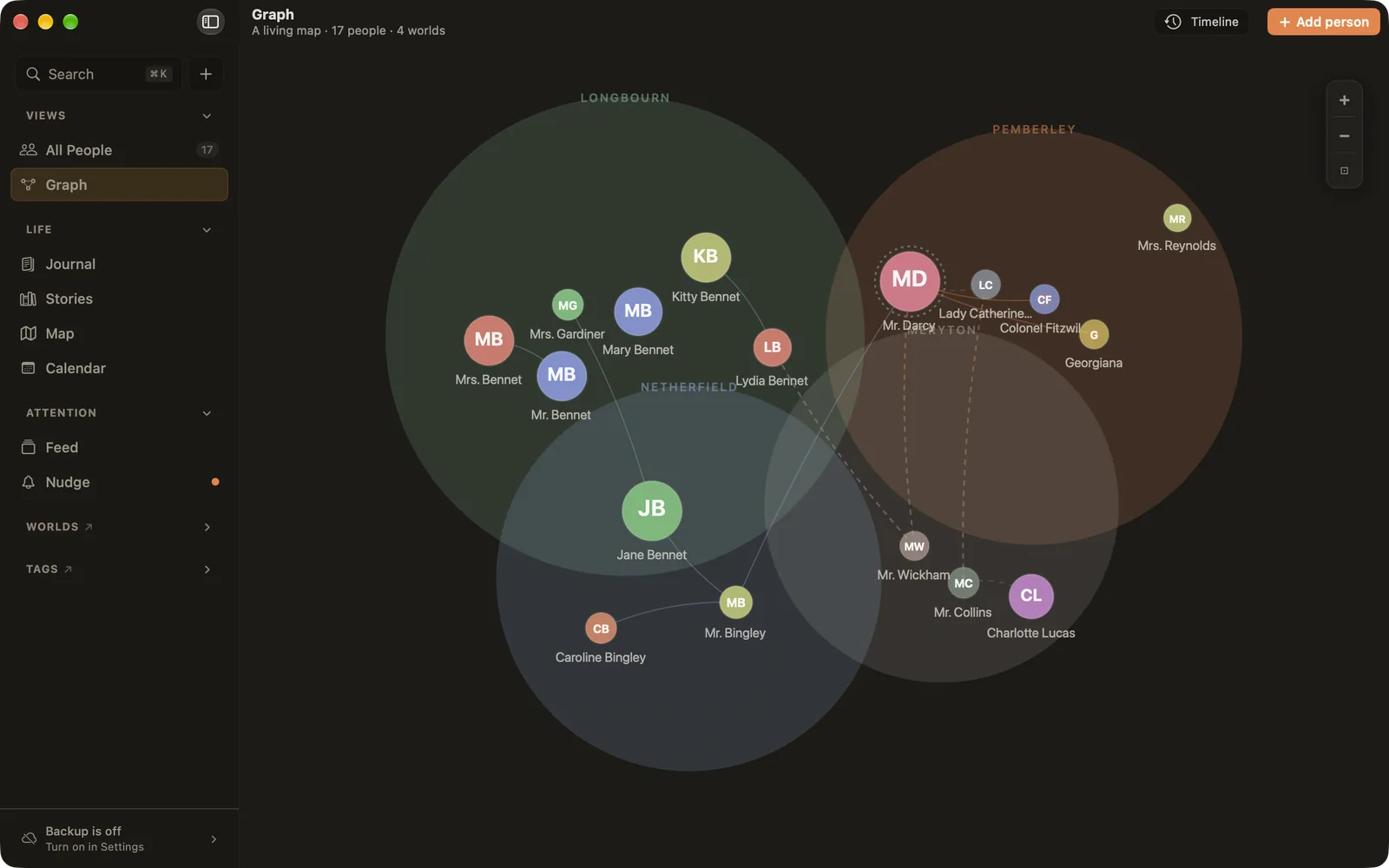
The Graph draws your whole life at once. Each world is a circle in its colour, each person sits inside the worlds they belong to, and the people you've connected are joined by lines. It's often where you notice a world you've been neglecting, or the one person who links two parts of your life.
Opening the Graph
Choose Graph in the sidebar or press ⌘2. The Graph is on the Mac and iPad. On iPhone, your people are in the People tab instead: a phone screen is too small for a map like this to be useful.
Reading the Graph
- Circles are worlds. They overlap when people belong to both.
- Dots are people, in their primary world's colour. The more interactions you've logged with someone, the bigger their dot. Mentions in your journal don't change the size.
- Lines are connections you made between people. A link to someone you've set to Quiet is dashed and fainter.
- A dotted ring around a person, in another world's colour, means they also belong to that world.
- Quiet people are drawn as faded grey dots.
Click a person to see their details, and open their page from there. Drag a person to move them; Ember remembers where you put people on each device. Use the + and − buttons, or pinch, to zoom.
The timeline
Choose Timeline at the top to replay your map. Drag the slider, or press play, and the Graph shows who was in which world and who was connected on that day, with a line describing each change: someone joining a world, two people connecting, a connection ending.
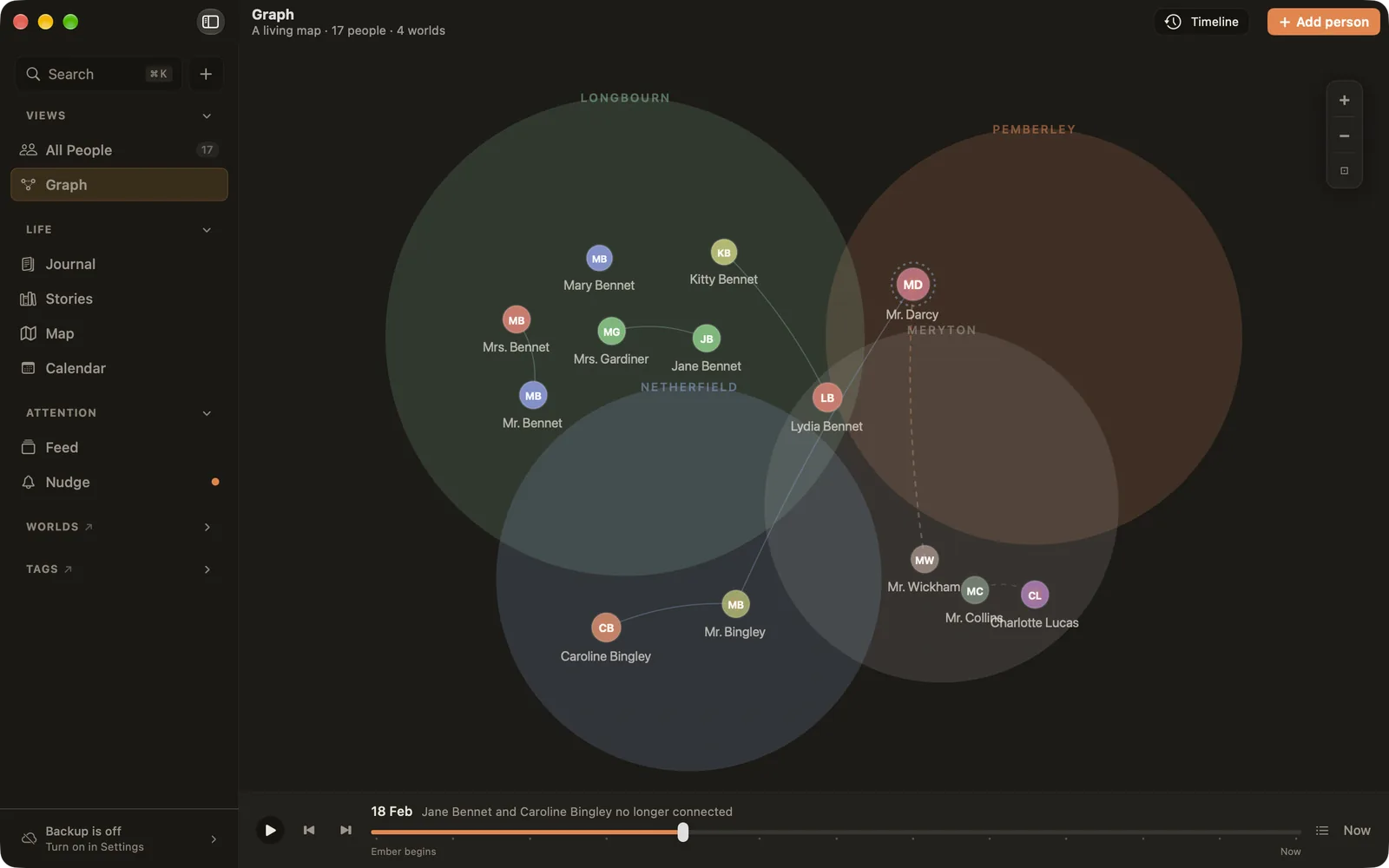
The far left reads Ember begins. The timeline only knows what you recorded and when you recorded it. It never guesses what came before.
Large libraries
Up to 300 people, everyone is drawn. Beyond that, the Graph draws the people who matter most right now (those fading, then rooted, then active) and folds the rest into a +N more bubble in each world. Click a bubble to open that world on its own, and ‹ All worlds to come back. Zoomed far out, people become simple dots.