Photos, Voice & Songs
Ember is mostly words, but some moments want more: the photo from the table, a voice memo of your grandmother's laugh, the song that was playing. Entries and stories can hold all of them, right in the text where they belong.
The editor's bottom bar
Three buttons sit at the bottom of every entry and story (above the keyboard on iPhone):
- Photo: add photos or videos from your library or your files.
- Microphone: record a voice memo.
- Note: search Apple Music and add a song.
You can also drag photos and videos straight into the text, or paste them.
Photos and videos
A photo sits in the text where you put it. Drag it to move it, and drag its corner to make it smaller or larger. Photos are kept in your Ember library, synced with Ember Plus, and included in every backup and export as the original files.
A story can also use one of your photos as its cover.
Finding a photo by its words
Ember reads the text in your photos, on your device: a menu, a sign, a ticket, even handwriting. Search with ⌘K for a word that appears in a photo: entries and stories with a match show In a photo: … under them. Open one, and the photo shows the matching words outlined.
Voice memos
Tap the microphone to record, and stop when you're done. The memo appears in the text as a small player with its length. It's a good way to keep a voice, or to talk through a day you don't have time to write about.
Songs
Tap the note, search for a song, and pick it. It appears as a card you can play in place. Songs help a memory more than you'd think: years later, the song brings the day back.
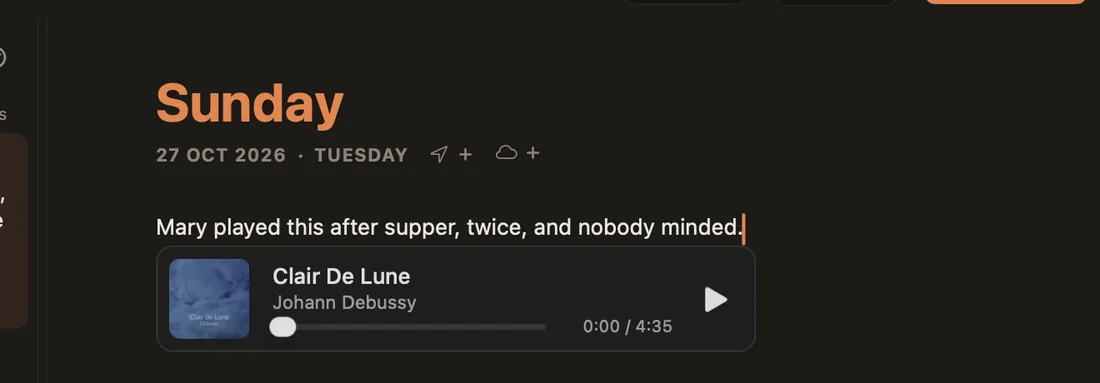
Songs on a story or an entry come with it when you save it as a PDF, as cards that open in Apple Music.
Copying between entries
Copy a photo or a memo from one entry and paste it into another, and Ember makes a copy of the file for the new entry. Deleting one entry never takes the media out of the other.