Entry Templates
Some entries have a shape you return to: an evening review, three things you're grateful for, notes from a weekly call. A template keeps that shape so a new entry can start from it.
Where templates live
Templates are listed in the Journal under Templates, below the Bin. A template is an ordinary entry that's kept aside: open it to edit it like any other entry, with headings, lists, tags and even people.
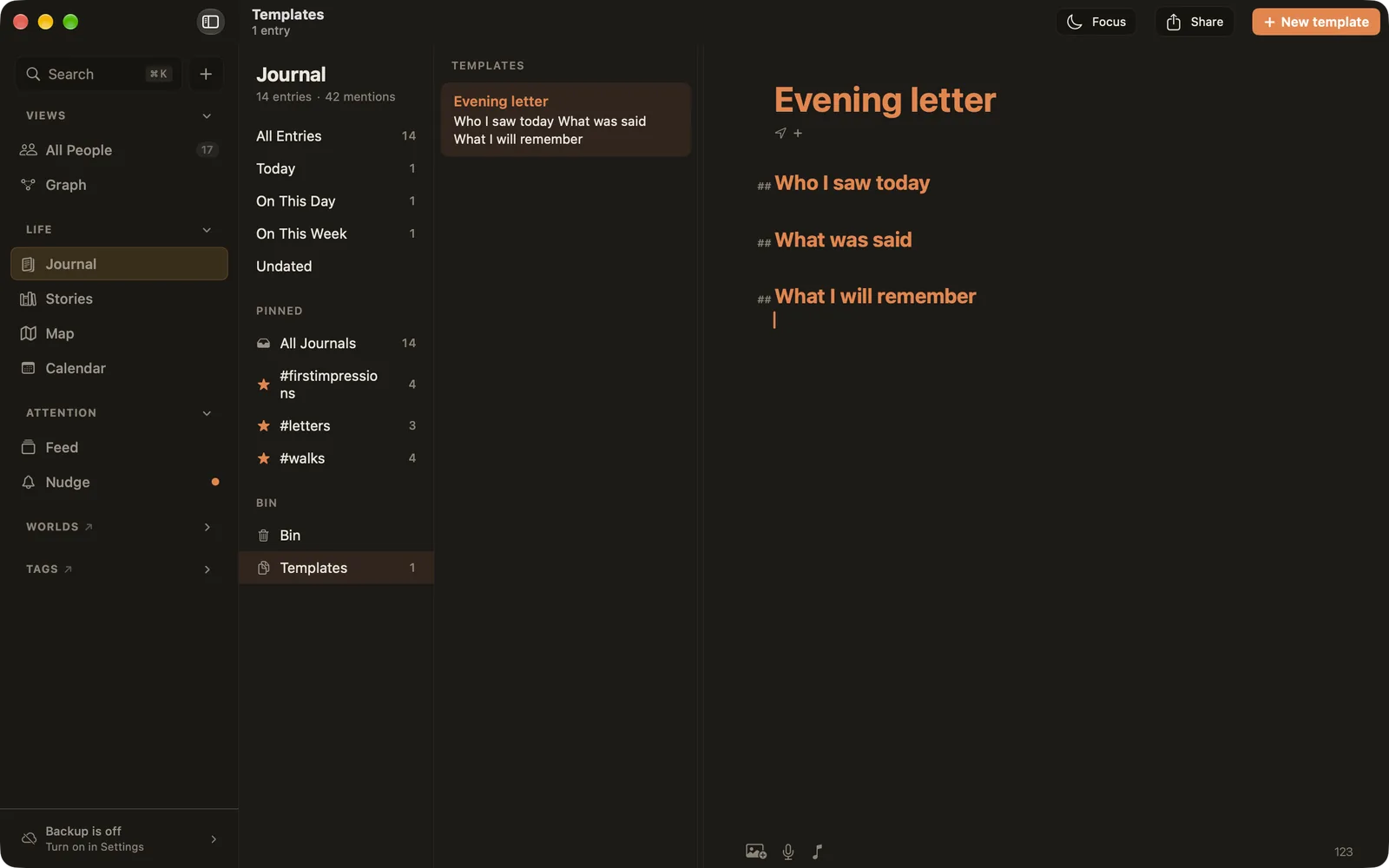
Making a template
- From scratch: open Templates and choose New template. Write the parts you want every time.
- From an entry: right-click an entry in the list (long-press on iPhone and iPad) and choose Make a template…. Your entry stays as it is; the template is a copy, without its date or weather.
Starting an entry from a template
- Start a new entry (⌘⇧J).
- While it's blank, a template icon appears on the date line, next to place and weather. Click it.
- Pick a template. Its title and text fill the new entry, dated today.
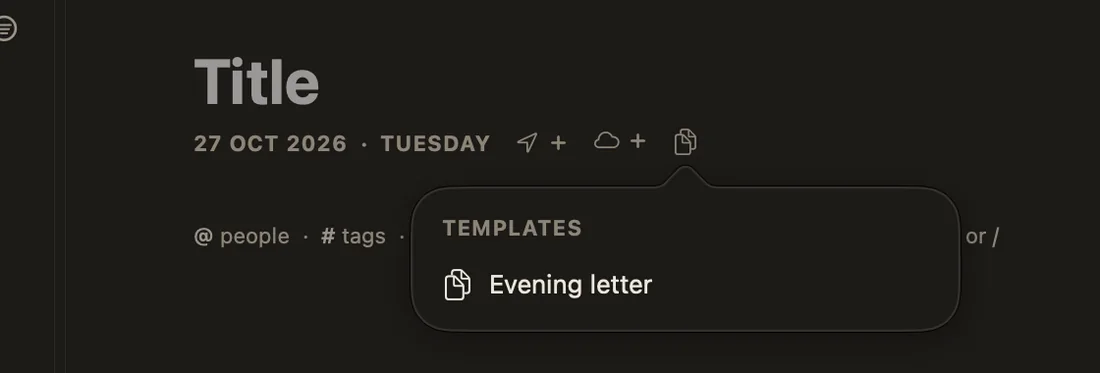
You can also right-click a template in the list and choose New entry from this template.
Each new entry is a copy. Changing a template later never changes the entries you already made from it.
A few ideas
- Evening letter: Who I saw today · What was said · What I'll remember.
- Weekly call with someone far away: an
@mention of them, then their news and yours. - Three good things: a numbered list and a
#gratitudetag. - Trip day: Where we went · What we ate · Who we met.
Templates sync with Ember Plus and are included in your backups and exports.