Tags
Tags are the lightest way to group things: #gratitude, #travel, #letters. They work on journal entries, stories and logged interactions, and cut across people and worlds.
Adding a tag
Type # in an entry or a story, then a word. Ember suggests the tags you already have, so spellings stay the same. Pick one, or keep typing to make a new one. Tags can sit in the middle of a sentence or at the end.
On a logged interaction, add tags in the Tags row. Ember suggests a few feelings, like #calm or #awkward, to start.
The Tags page
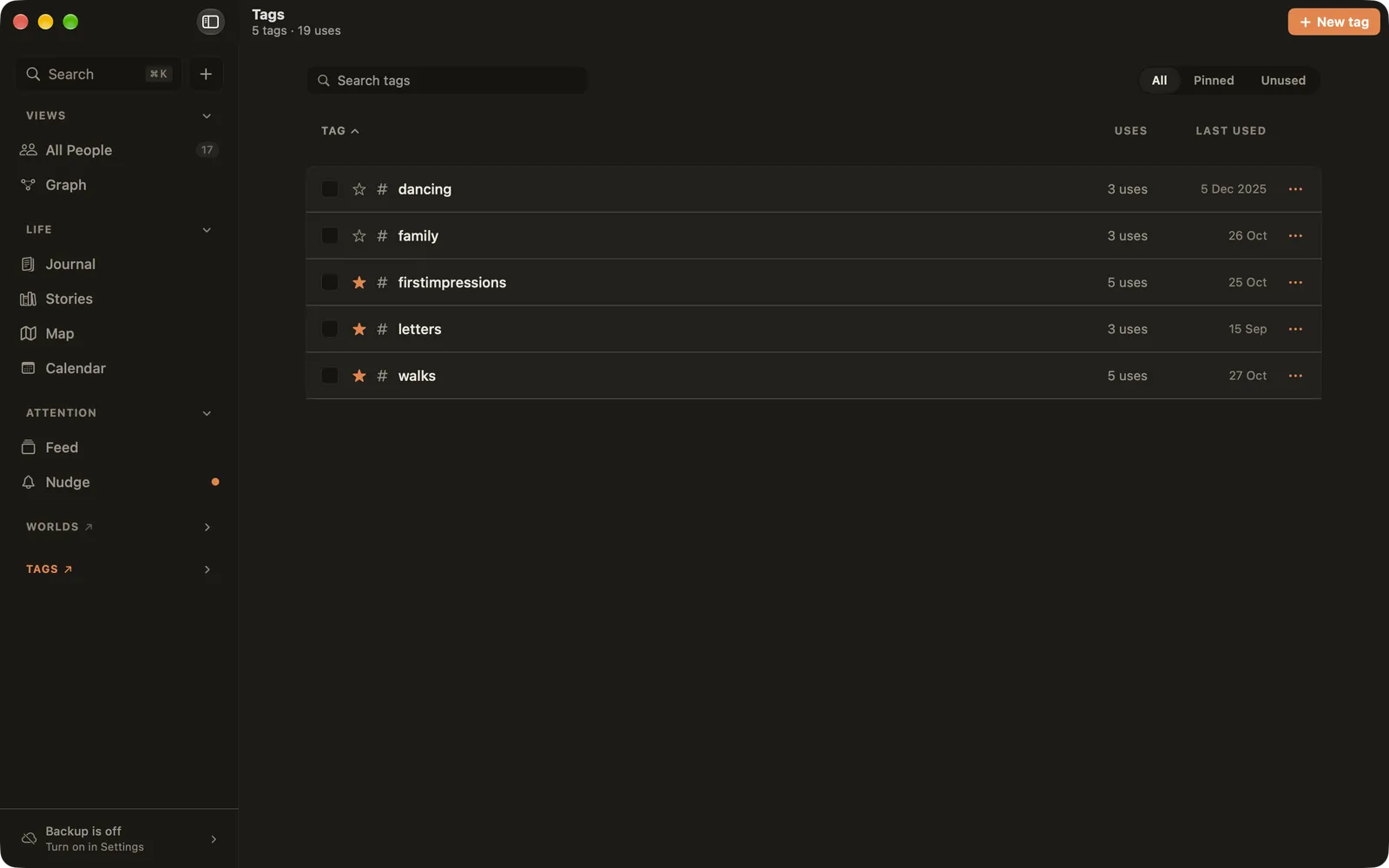
Open it with ⌘9, or the ↗ next to Tags in the sidebar. Every tag is listed with how often it's used and when it was last used. Search, show All, Pinned or Unused tags, and click a column to sort.
Pinning
Click the star next to a tag to pin it. Pinned tags appear in the sidebar under Tags, and in the Journal under Pinned, where each one works like a separate journal. Pin the handful you reach for every week, and leave the rest unpinned.
A tag's page
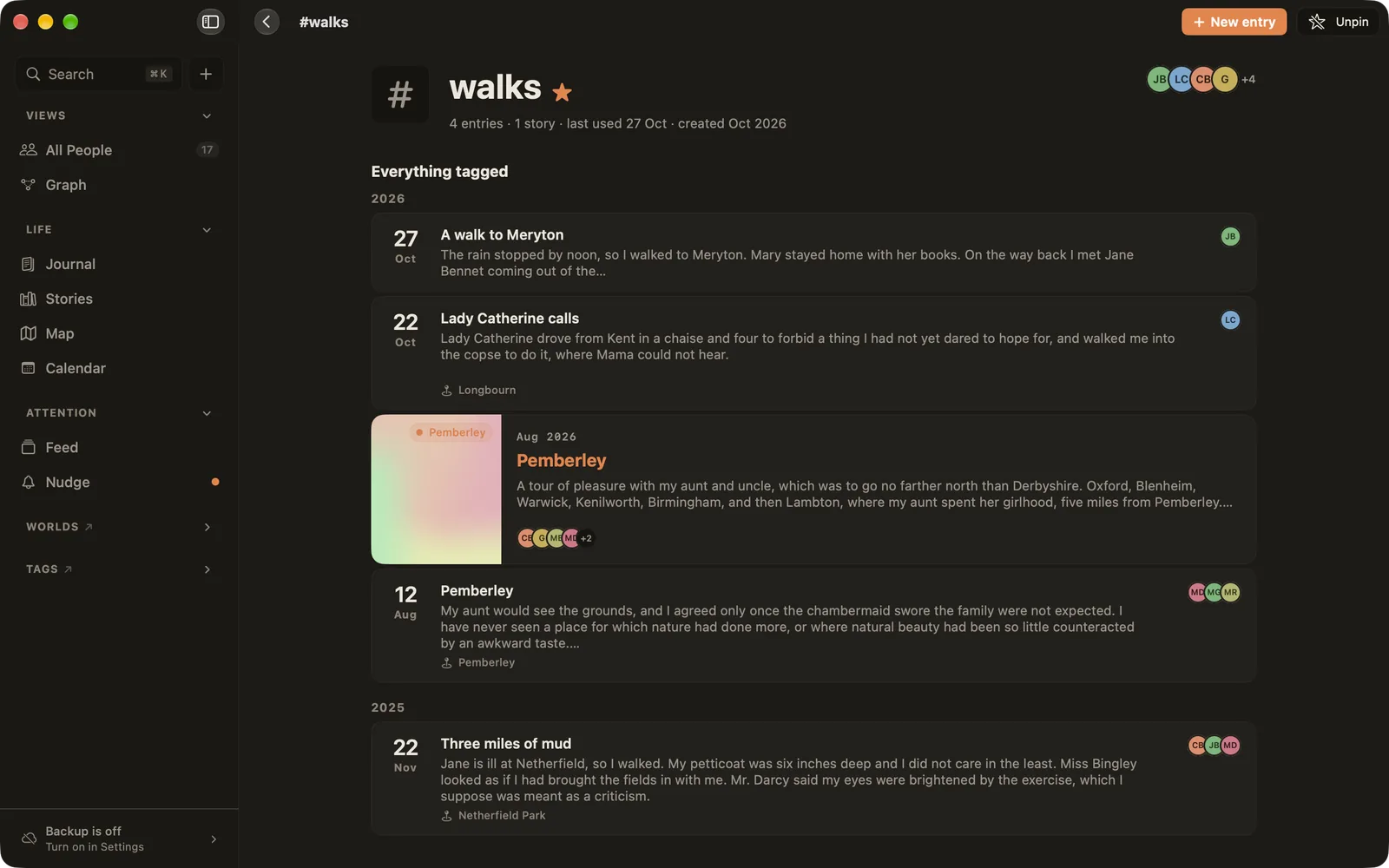
Click a tag to see everything tagged with it, entries and stories together, by year, and the people who appear in them. New entry starts an entry that already carries the tag.
Renaming, merging and deleting
- Rename: renaming a tag changes it everywhere it's written.
- Merge: tick two or more tags on the Tags page and choose Merge, or use Manage ▸ Merge into… on a tag's page. One tag replaces the others on everything they were on.
- Delete: the tag moves to Recently deleted, and everything it was on stays as it is. You can restore it. Deleting it for good also takes the
#nameout of the text of those entries and stories. The entries and stories themselves are never deleted.
Tags from Day One
Moving from Day One? Your tags come across as Ember tags, and each Day One journal becomes a tag too, so you can pin it and keep your journals apart. See Moving from Day One.