Find People in Journal
If you've imported a journal, or wrote for a while before using @, your entries are full of names that aren't linked to anyone yet. Find People in Journal reads your whole journal, lists those names, and lets you say who each one is. With one click, every entry gathers on the right person's page.
Opening it
- On the People page, choose Tools (the wrench) ▸ Find People in Journal…
- After an import, Ember offers it on the last screen.
- Search for a person with ⌘K and choose to find them in your journal.
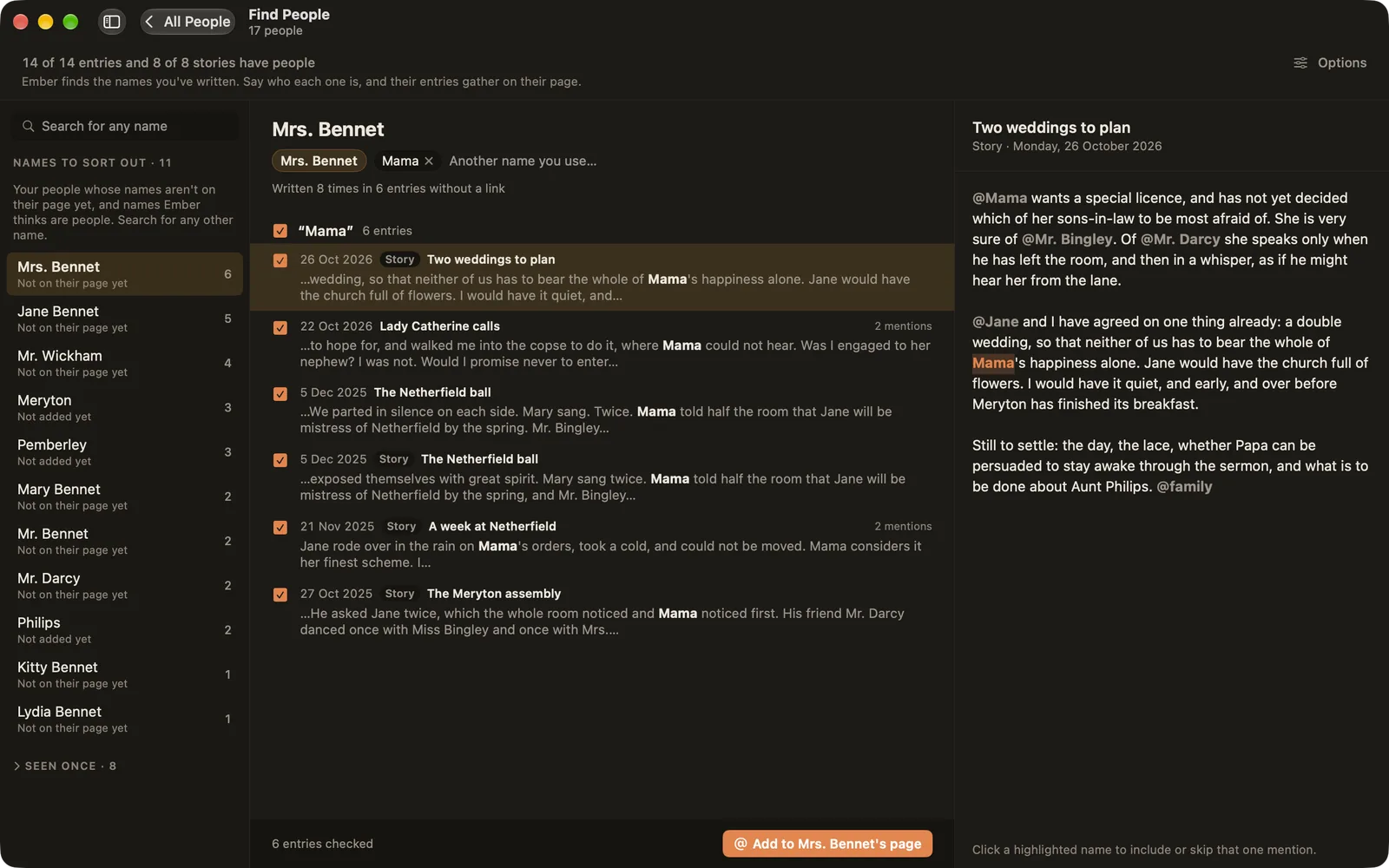
The list of names
On the left are the names to sort out, with how often each appears:
- Not on their page yet: people you already have, written without a link.
- Not added yet: names that look like people but aren't in Ember. They might be people, or they might be places and things.
- Seen once: names that appear a single time, folded away at the bottom.
Not finding someone? Type any name in the search box at the top, or press Return to look for any word in your journal.
Linking a person's entries
- Pick a name. The middle column lists every entry where it appears, grouped by spelling, with each line ticked.
- Read any entry on the right. Click a highlighted name to include or skip that one mention.
- Untick an entry that's about someone else with the same name.
- Choose Add to [name]'s page. The names become links, and the entries appear on their page.
The chips at the top show the names Ember looks for. Add another name you use for them, like "Mum" or a childhood nickname, and Ember finds those too. These are the same nicknames as Also called on their page.
Longer words that start with the name (like "Rosemary" for "Rose") are listed separately and start unticked.
Names Ember doesn't know
For a name that isn't anyone in Ember yet, Ember asks: is it someone you know?
- New person: add them, with the ticked entries already on their page.
- Add as a name for…: it's another name for someone you have, like "Grandpa" for your grandfather.
- Set aside: it's not a person (a place, a brand, a month). It won't be suggested again. Set-aside names are kept at the bottom, where you can bring them back.